1
Security Monitoring
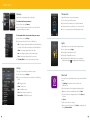
How to Test Your System
Alarm system testing procedures
The purpose of testing the alarm system is to ensure proper local operation and proper communication to
the central station. The following procedure should be done at least once per month.
1.Call the security monitoring station at 866-455-1595 to place your account on test. You will need your
account number and your personal security password.
2.Arm your system in the “stay” mode. This will allow you to test your perimeter devices, such as doors and
windows. Remember your entry door has a time delay, and will not activate the alarm until both the entry
and exit delays have expired. As you open each door or window it is not necessary to reset the system
each time.
The central monitoring station provides 24/7 UL-approved monitoring for your
residence or business.
The following information will provide you an overview of what occurs when the central monitoring
station receives an alarm signal:
Burglary and Fire
1. Customer Notification - Two calls are placed in an attempt to notify the customer
2. Dispatch Authorities
Panic
1. Dispatch Authorities - No calls are made first
2. Customer List Notification
3.Arm your system in the “away” mode. This will allow you to test the interior devices. Open an entry
exit door.
4.If you have any external panic devices such as a wireless key fob, they can be tested at this time.
5.After all testing is complete, ensure you reset your alarm system by entering your code or using the off
button on your wireless key fob.
6.Call the security monitoring station at 866-455-1595 and ask if they have received all of your test alarms.
If there is any question, re-test the affected part of the system again.
Suggested Action: Leave the house immediately if you have any doubt about your safety.
23
24