1
US 8,584,018 B2
3
4
there Would be no Way for a user to track the comings and
goings of thousands or millions of users each moment in time.
the co-user’s buddy lists. In one embodiment, a user may only
have one of an inclusion List 36 and an Exclusion List 48.
Example Implementation
An important component of the buddy list system is that a
With intersecting or disjoint lists of co-users, and label these
buddy lists according to the user’s preference. The user can
FIG. 3 is a graphical display of one implementation of the
invention, shoWing a Buddy List WindoW 40 With a buddy list
named “Home List” in a large scrollable area. Buddy list
update a buddy list or create neW buddy lists Whenever nec
essary. When a user logs on to a system, the user’s set of
names are like categories. Other buddy lists can be shoWn in
the same display. Indented underneath each buddy list are the
buddy lists is presented to the buddy list system. The buddy
names (or addresses) of user-selected co-users comprising
that list. In the example shoWn, the “Home List” includes
three co-users and their status as “IN” (i.e., currently logged
into the system) or “OUT” (i.e., currently logged out of the
system). Any desired method or technique cart be used to
indicate log status, such as distinct attributes (e.g., holding a
user can create many separate buddy lists of co-users, either
list system attempts to match co-users currently logged into
the system With the entries on the user’s buddy list. Any
matches are displayed to the user. As co-users logon and
logoff, a user’s buddy list is updated in real-time (or near
real-time, taking into account netWork and processing delays)
to re?ect these changes. An indication can also be added to
shoW that a co-user just logged on or just left the system.
name to indicate logged in, graying a name to indicated
logged out) or other symbols (e.g., checkmarks to indicate
logged in), etc. In still another embodiment, only logged in
HardWare System
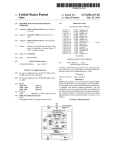
By Way of example only. FIG. 1 is a block diagram of a
typical netWork system 10 in Which the invention can be
implemented. The netWork system 10 includes a plurality of
members of a buddy list are displayed. In one embodiment, an
asterisk or other symbol appears next to the screen name of
20
the most recent co-user to log into the system, and parenthe
user stations 12 that preferably include a processor chassis 14
ses are placed around the screen name of the most recent
having a netWork link. The netWork link is for receiving and
transmitting data in analog or digital form over a communi
co-user to log out of the system.
cations link 16, such as a serial link, local area netWork,
buddy list to suppress display of all the co-users in that group.
This is preferably implemented so that a double click on the
Wireless link, parallel link, etc. Also coupled to a typical
In the preferred embodiment, a user can “minimize” a
25
processor chassis 14 is a display 18, a keyboard 20, and a
buddy list name Will cause all the screen names listed beneath
pointing device 22 (e.g., a mouse).
to disappear. In the preferred embodiment, minimized buddy
The communications link 16 couples each user station 12
as a “client” to a logon system 24, Which is typically a soft
Double-clicking on the buddy list name again displays all of
lists are indicated by a “+” symbol next to the buddy list name.
Ware program executing on a remote server somewhere on a 30 the hidden co-users under that name. A user can also keep tabs
on each list by checking out the numbers posted in parenthesis
netWork. The logon system 24 communicates With a “Buddy
List System” 26, Which is preferably a software program
next to the buddy list names. This number tells the user hoW
many people on that list are logged in out of the total number
of screen names on the buddy list. In the illustrated example,
executing on a server someWhere on the netWork. The Buddy
List. System 26 maintains a database 28 for storing user
information. The database 28 may be of any type, such as
relational or hierarchical, and may be centraliZed or distrib
uted. For example, the database 28 may be stored at least in
35
In the preferred embodiment, When the user ?rst logs into
the system, the Buddy List WindoW 40 opens, informing the
part on each user’ s oWn station 12. In such a case, the database
28 contents Would be transmitted to the Buddy List System 26
When the user logged into the system.
user Which of the user’s buddy list members are currently
40
WindoW 40 is left open, the user has a current, real-time list of
all the user’s buddies in Who are online at any particular
types of data used by the Buddy List System 26, and the
conceptual relationship of data elements. A Group Name
moment.
45
The illustrated Buddy List WindoW 40 shoWs a number of
buttons for setting up or using buddy lists. Included buttons in
the preferred embodiment are: LOCATE, for determining
Which “chat room” a buddy is in at a particular moment; IM,
for sending an “Instant Message”; SETUP, for creating and
user may de?ne multiple buddy lists by group names (tWo
being shoWn by Way of example). Each group name in the
Group Name table 30 has an associated Buddy List table 32,
comprising multiple records. Each Buddy List table 32 record
corresponds to a co-user (“buddy”) that the user Wishes to
online. The user can either close this WindoW, or leave it open
While visiting other areas of the system. If the Buddy List
Data Structure
FIG. 2a is a set of symbolic data records shoWing the basic
table 30 stores user-de?ned group names for buddy lists. Each
2/3 means that tWo of the three people on the “Home List” are
currently online.
50
editing buddy lists or setting buddy list preferences; and
track. In the preferred embodiment, the record includes data
BUDDY CHAT, for inviting buddies to a private chat or a
elements for the screen name (or address, such as an Internet
favorite place in the system.
Setup
address) of a particular co-user to be tracked, and the logon
status of that user (e.g., codes for “In” or “Out”).
FIG. 2b is a set of symbolic data records shoWing the basic
types of data used by one embodiment of the invention for a
55
FIG. 4 is a graphical display of one implementation of the
invention, shoWing a Buddy List Setup WindoW 50 With a
buddy list named “Home List” in a scrollable area. Buttons
Permissions List 34, and the conceptual relationship of data
are provided for creating a neW buddy list; editing a selected
elements. Each user in the system has an associated Block
Status code. If a user’s Block Status code is equivalent to
buddy list; deleting a buddy list; vieWing the members of a
selected buddy list; accessing a Member Directory for the
system; and accessing a preferences WindoWs. In the pre
ferred embodiment, each buddy list is shoWn in the scrollable
“none”, then no co-user may enter that user into the co-user’ s 60
buddy lists. If a user’ s Block Status code is equivalent to “all”,
then all co-users may enter that user into their buddy lists. If
a user’s Block Status code is equivalent to “all except”, then
all co-users except those entered in a linked Exclusion List 36
may enter that user into their buddy lists. If a user’s Block
Status code is equivalent to “none except”, then only co-users
entered in a linked Inclusion List 38 may enter that user into
area With a count of the number of co-users in each list.
FIG. 5 is a graphical display of one implementation of the
invention, shoWing a Buddy List Create WindoW 60. A user
65 can enter a buddy list group name and a screen name for each
co-user to be tracked. A list of buddies on a particular list are
also displayed, along With a button alloWing removal of an