1
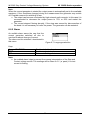
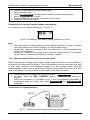
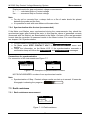
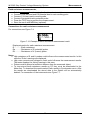
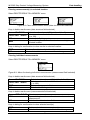
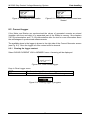
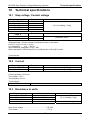
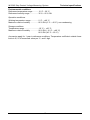
MI 3295 Step Contact Voltage Measuring System Measurements Displayed results for step and contact voltage measurements: U..............calculated Step or Contact voltage Um...........measured Step or Contact voltage Note: For dry soil or concrete floor, a damp cloth or a film of water should be placed between the probe and the floor. It is possible to work with more Meters at the same time. 7.2.4 Synchronization after the test (recommended) If the Meter and Station were synchronized during the measurements they should be synchronized again after finishing the tests. In this step the values of generated currents (measured with the Station) are downloaded to the Meter. On base of the real generated current data the correction of measured results in the Meter is done. For more information see chapter 5.4.5 Synchronization. Connect Meter to the Station with the RS232 cable. On Meter select STEP CONTACT VOLT in SYNCHRONIZATION menu and confirm. Follow the information on the Meter LCD. If the synchronization succeeds a confirmation beep will follow the connecting... and synchronizing... messages. Connections for synchronization For connection of the instruments see Figure 7.7. Figure 7.10: Examples of synchronization screens NOT SYNCHRONIZED: number of non-synchronized results. Note: Synchronization of Step / Contact voltage results can last up to several 10 seconds. A bargraph is showing the progress ( ) 7.3 Earth resistance 7.3.1 Earth resistance measurement Figure 7.11: Earth resistance 29