1
Engage Communication
IP•Tube User's Guide
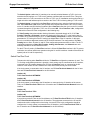
TUBE CONFIRMREMOTEALIVE { ON | OFF | DONOTTALK}
Tube ConfirmRemoteAlive must be ON for proper monitoring of the connection state and switching of
the Primary link. It still performs its normal functionality but allows the added AutoProtect capability to
function. The LAN connections are tested every 10ms with a keep alive heartbeat between the local
and remote units.
NOTE: If AutoProtect switches operation to the Secondary units due to loss of LAN connectivity on
both LAN ports, Tube ConfirmRemoteAlive will validate that both Serial interfaces (S1 and S2) are
transmitting out both serial interfaces before allowing the Primary units to resume operation.
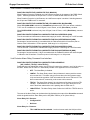
TUBE CONFIRMREMOTEALIVE TIMEOUT value
Tube ConfirmRemoteAlive Timeout is a user configurable parameter to determine the time qualification sample period before the Primary fails over to Secondary operation.
Value is in milliseconds and must be in 10ms increments. Valid value range: 10 to 65530 (10ms to
65.530s)
A sample period of 10ms will create the least 'Time To Failover'.
Time to Failover = Tube ComfirmRemoteAlive Timeout * 3
AutoProtect Signaling Port Settings
The AutoProtect signaling port is performed on the S3 interface. These settings must be set in the
serial port used for signaling between the Primary and Secondary units.
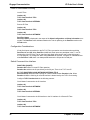
DCEDTEMODE { DCE | DTE }
If the IP•Tube is to be configured as a Primary unit, DCEDTEMode must be set for DCE.
If the IP•Tube is to be configured as Secondary unit, DCEDTEMode must be set for DTE.
These settings must be correct for proper operation of the AutoProtect feature.
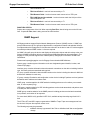
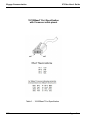
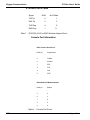
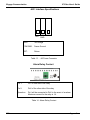
There are two Y cables used to connect to the Primary and Secondary units. Connect one Y cable using the DB60 connector to the Primary units S3/S4 port. Then connect the second Y cable using the
DB60 to the Secondary units S3/S4 port. Next connect both Y cables using a Female to Female Gender Changer connecting the Y cable ends of DB25_1 of the Primary to the DB25_1 of the Secondary.
This will connect the Primary and Secondary AutoProtect signal to each other.
NOTE: The Y cables referenced in this section are cables used to access ports S3 and S4 on the
IP•Tube SER product. These cables are used for signaling only.
186
Chapter 8: IP•Tube SER RS530 AutoProtect