1
18
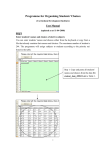
Remove Exception
If an Exception is not working properly (see below how to view the most updated
Degree Works worksheet), or if it is no longer necessary, you may need to remove it. To remove
an Exception, scroll down to the very bottom of the Exceptions tab, choose the Exception you
wish to delete, and click Remove Exception. This view shows the importance of including the
course title and number as well as how it is being used in the description. Without this
information, it is very challenging to understand which Exception is being applied to each
requirement.
Choose which Exception you would like to delete and click Remove Exception. Once you
have run a new audit, the Exception will not appear on the Worksheet or the Exception tab.
If you did not
include the course
subject and number
in the Description,
you will not be able
to tell which
exception is applied
to which
requirement.
Degree Works User Guide created by Emily Beard, CAS Advising, January 2015, updated August 2015