1
4 SETTINGS AND PROCEDURES FOR OPERATION
MELSEC-Q
4.3 Mounting and Installation
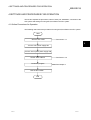
This section describes the precautions to be observed when handling the QJ71AS92
from unpacking to installation, and the installation environment. are explained in this
section.
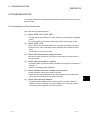
4.3.1 Precautions for Handling
CAUTION
• Use the PLC in an environment that meets the general specifications in CPU module User’s Manual.
Using the PLC in the environments outside the ranges stated in the general specifications will cause
electric shock, fire, misoperation, or damage to/deterioration of the product.
• When mounting a module, be sure to securely insert the fixing latches on the bottom of the module into
the fixing holes on the base unit, and tighten the module fixing screws within the specified torque.
Failure to observe this could result in damage to the screws or module, module falling, short or
misoperation.
• Always shut off all phases of the PLC power supply and AS-i power supply externally before mounting or
removing the module.
Failure to shut off all phases could lead to product damage.
• Do not touch conductive parts or electronic components of the module with your bare hands.
This could cause Misoperation or failure of the module
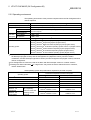
(1) The module case and communication connector are made of resin, so take care
not to drop or apply strong impacts.
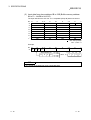
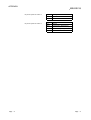
(2) Tighten the module mounting screws, communication connector mounting screws
and communication connector wiring mounting screws within the following ranges.
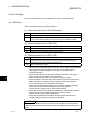
Screw position
Module mounting screw (M4)
Communication connector mounting screw
Communication connector wiring mounting screw
Tightening torque range
78 to 118 N⋅cm
40 to 50 N⋅cm
50 to 60 N⋅cm
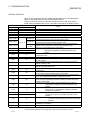
4.3.2 Installation Environment
Refer to the User's Manual of the CPU module being used for details on the installation
environment.
4-4
4-4