1
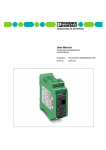
MCR-PSP MCR Threshold Value Switch, Programmable 1. Short description • continuous measured value display • four independently adjustable switching thresholds • with or without galvanic isolation of input signals • can be programmed using MCR-PI-CONF-WIN software The MCR-PSP modules are used for the monitoring and regulation of processes. Four switching thresholds that can be adjusted independently of one another react to the signals of various thermocouple sensors, resistance thermometers and linear resistors that can be connected directly. An input for analog standard signals is provided to monitor process signals that have already been converted. U, I, ϑ, R K1 K2 Fig. 1 The module can either be programmed using the MCR-PI-CONF-WIN software (see page 15) or the membrane keypad. The device can be adapted to a variety of applications using the keypad at the front and the display. The LED display constantly displays the current measured value so that the process value can also be monitored visually. Fig. 2 The two relays are designed as PDT contacts with adjustable time delay, and the limit values of each contact have a modifiable hysteresis. This option gives you the advantage of being able to set four switching thresholds independently of one another. In order to provide additional diagnostics the relays can be connected to pick up or drop out during a failure mode in auxiliary voltage to the module. In case of linebreak or short circuit each of the relais can be set to pick up or drop out by software or membrane keypad. In the default setting both relays are set to pick up. The devices with isolated inputs decouple the field level and auxiliary power, thus avoiding the creation of distributed measurement circuits. The housings are 45 mm wide and connected with pluggable screw connections (COMBICON) and can be mounted on commercially available EN mounting rails. Fig. 3 Headquarters: © Phoenix Contact GmbH & Co. KG • Flachsmarktstraße 8-28 • 32825 Blomberg • Germany Phone +49-(0) 52 35-3-00 • Fax +49-(0) 52 35-3-4 1200 • www.phoenixcontact.com MCR Threshold Value Switch, Programmable - MCR-PSP 75 110 45 8 M3 Fig. 4 Fig. 5 MCR-PSP with signal input: ( ) 24 VDC 1 POW ER ( ) GND 2 00 0 0 9 MM 10 shield IN 12 3 11 4 14 5 D µC A OUT 22 6 21 7 24 8 E 11 I( ) 12 U( ) 13 GND ( ) 14 U( ) 15 U( ) 16 (A a Standard signals Temperature sensors planned) (IEC) [mm2] rigid solid Connection data 0.2-2.5 flexible stranded AWG 0.2-2.5 24-14 I Fig. 6 2. Description MCR threshold value switch, with dual setpoint relay contacts also with galvanically isolated input Type Order No. Pcs. Pkt. MCR-PSP MCR-PSP-DC 28 11 91 2 28 11 92 5 1 1 2.1. Technical Data Input Input signal: • resistance thermometer 2, 3 or 4-wire configuration (acc. to DIN 43 760/DIN IEC 751 or SAMA RC 21-4-1966) • resistance • thermocouple sensors (acc. to DIN IEC 584-1/DIN 43 710) • current • voltage Input resistance: • current • voltage Setting accuracy Input protection (see also 2.4. Additional information input, page 4) e.g. PT100, Ni etc. 0…8 kΩ (only 2-wire connection) B, E, J, K, L, N, R, S, T, U - 30 mA … + 30 mA - 30 V…+ 30 V 50 Ω 200 kΩ 0.1 °C / 0.01 V / 0.01 mA / 0.1 Ω transient protection, resistant to overload up to 30 V DC Display Red 7-segment LED indicator, 5-digit, for displaying measured values and setting inputs, switching points etc. Eight red LEDs for displaying the unit of measured value and in edit mode, for displaying the value set. Display frequency: 2 Hz for RTD 3 and RTD 4 1.5 Hz Keys 3 membrane buttons for setting the various parameters PHOENIX CONTACT page 2 of 15 MCR Threshold Value Switch, Programmable - MCR-PSP Output Relay level Switching output 1 (K 1) Switching point 1, lower limit (SPL) Switching point 1, upper limit (SPH) 2 x PDT contacts / 2 switching points each low/high (settable) 1 x Um (AgNiO 0.15 + HTV hard gold-plated) 250 V AC, 2 A min. input value ... max. input value – double switching tolerance min. input value + double switching tolerance ... max. input value Switching output 2 (K 2 ) Switching point 2, lower limit (SPL) Switching point 2, upper limit (SPH) 1 x Um (AgNiO 0.15 + HTV hard gold-plated) 250 V AC, 2 A min. input value ... max. input value- double switching tolerance min. input value + double switching tolerance ... max. input value Cycles Setting accuracy Tolerance/Hysteresis around the switching point 30 x 106 0.1 °C/0.1 °F/0.1 Ω/0.01 V/0.01 mA Depending on the type of sensor set (see 2.5. switching tolerance of different inputs, page 11) 0.0 ... 1.0 secs, can be set in 0.1 sec. steps 1.0 ... 2.0 secs, can be set in 0.2 sec. steps Delay time high/low of the relay 2.2. General Data Supply voltage Current consumption Temperature coefficient Test voltage: auxiliary power supply/input Protection circuit Ambient temperature range Display resolution Offset error (Zero) Gain error (Span) Linearity error Total error Type of connection: • Input • Output and supply Installed position / mounting Standards and regulations 20 ... 30 V DC < 60 mA ≤ 0.01 %/K 1 kV, 50 Hz, 1 min. transient protection, polarity protection -20 °C to + 65 °C 0.1 °C/ 0.01 V/0.01 mA/0.1 Ω typ. < 0.05% F.S. typ. < 0.05% F.S. typ. < 0.05K (only for RTD and THC) typ. < 0.1% F.S. screw terminal block pluggable screw terminal block any IEC 664/IEC 664 A/DIN VDE 0110-1:1989-01l Type of housing ABS, see Online catalog color: green Torque value of terminal screws, see Online catalog. Marking systems and mounting material, see Online catalog. The rated cross section (see Online catalog) refers to untreated conductors without ferrules. 2.3. (EMC) electromagnetic compatibility c Complies with EMC guideline 89/336/EEC and low voltage directive 73/23/EEC Immunity to interference in acc. with EN 50082-2 • Electrostatic discharge (ESD) EN 61000-4-2 Criterion B 8 kV discharge in air • Electromagnetic HF field: Amplitude modulation Pulse modulation EN 61000-4-3 Criterion A 10 V/m 10 V/m • Fast transients (Burst) EN 61000-4-4 Criterion B I/O/S: 2 kV/5 kHz 1) • Surge voltage capacities (Surge) EN 61000-4-5 Criterion B I/O: 2 kV/42 Ω 1) • Conducted disturbance EN 61000-4-6 Criterion A I/O/S: 10 V 1) • Noise emission in acc. with EN50081-2 EN 55011 Class A EN 61000 corresponds to IEC 1000 EN 55011 corresponds to CISPR11 1) I = Input / O = Output / S = Supply Criterion A: Normal operating behavior within the defined limits. Criterion B: Temporary impairment of operational behavior that the device corrects itself. Class A: Area of application: industry, without special installation measures. PHOENIX CONTACT page 3 of 15 MCR Threshold Value Switch, Programmable - MCR-PSP 2.4. Additional information, input Resistance acc. to IEC 751/EN 60751 or DIN 43760 thermometer SAMA RC 21-4-1966 (RTD sensors) in 2, 3 or 4-conductor circuit Thermocouples (TC) Type Standard Measuring range Pt sensors ( DIN/SAMA ) -200...+850 ˚C -328...+1562 ˚F Ni sensors ( DIN/SAMA ) -60...+180 ˚C -76...+356 ˚F Ni 1000 (Landis&Gyr) -50...+160 ˚C -58...+320 ˚F Cu 10 ( SAMA ) -70...+500 ˚C -94...+932 ˚F KTY 81-110 ( Philips ) -55...+150 ˚C -67...+302 ˚F Type Standard Measuring range B +500...+1820 ˚C +932...+3308 ˚F E -226...+1000 ˚C -374...+1832 ˚F J -210...+1200 ˚C -346...+2192 ˚F K IEC584 N -200...+1300 ˚C -328...+2372 ˚F R -50...+1768 ˚C -58...+3214.4 ˚F S T -200...+400 ˚C -328...+752 ˚F L -200...+900 ˚C -328...+1652 ˚F U Other inputs -200...+1372 ˚C -328...+2501.6 ˚F DIN 43710 -200...+600 ˚C -328...+1112 ˚F Type Measuring range resistance (R8000) 0...8 kΩ (in 2-conductor circuit) voltage (U 30) -30...+30 V current (I 30) -30...+30 mA internal cold junction -20...+70 ˚C User (default setting R8000) 0...8 kΩ (in 4-conductor circuit) PHOENIX CONTACT page 4 of 15 MCR Threshold Value Switch, Programmable - MCR-PSP 3. Overview of inputs that can be connected Sensor type Display Nominal range lower limit upper limit -200 ˚C/-328 ˚F 850 ˚C/1562 ˚F -60 ˚C/-76 ˚F 180 ˚C/356 ˚F Analog Inputs MG Shield AGnd U (–) l (±) U (±) U (+) l1 Pt DIN Pt SAMA Ni DIN °C SPH DTH SPL Ni SAMA DTL K1 K2 V °F mA H/S Ni 1000 L&G -50 ˚C/-58 ˚F E 160 ˚C/320 ˚F Reset Cu 10 SAMA -70 ˚C/-94 ˚F 500 ˚C/932 ˚F TC Type J -210 ˚C/-346 ˚F 1200 ˚C/2192 ˚F Store +24V Gnd 12 11 14 22 21 24 Relay Outputs TC Type K -200 ˚C/-328 ˚F 1372 ˚C/2501.6 ˚F TC Type E -226 ˚C/-374 ˚F 1000 ˚C/1832 ˚F -50 ˚C/-58 ˚F 1768 ˚C/3214.4 ˚F TC Type T -200 ˚C/-328 ˚F 400 ˚C/752 ˚F TC Type B 500 ˚C/932 ˚F 1820 ˚C/3308 ˚F TC Type R TC Type S TC Type N TC Type U 1300 ˚C/2372 ˚F -200 ˚C/-328 ˚F TC Type L 600 ˚C/1112 ˚F 900 ˚C/1652 ˚F R 8000 0Ω 8000 Ω I 30 -30 mA 30 mA U 30 -30 V 30 V Cold Junction -20 ˚C/-4 ˚F 70 ˚C/158 ˚F User * 0Ω 8000 Ω * Default setting R 8000 (4-conductor system) PHOENIX CONTACT page 5 of 15 5126A001 Fig. 7 MCR Threshold Value Switch, Programmable - MCR-PSP 4. Connection Technology The following is true: The shield of the sensor wire must contact the terminal block shield on the module. It is only connected to the module on one side. The terminal block signal ground must be connected to PE. 4.1. Connecting an RTD sensor in 2-conductor technology or a resistor R 0...8k RTD 2 wire PE MG PE U (–) U (+) Shield 4.2. Connecting an RTD sensor in 3-conductor technology 5126A005 MG Shield RTD 3 wire AGnd U (+) U () 5126A006 Fig. 8 4.3. Connecting an RTD sensor in 4-conductor technology RTD 4 wire PE MG Shield AGnd U (+) U () l1 Fig. 9 4.4. Connecting a TC sensor (thermocouple) TC PE 5126A007 MG Shield U () U (+) 5126A003 Fig. 10 4.6. Connecting a voltage signal 4.5. Connecting a current signal PE l (±30mA) + MG l (±) Shield Fig. 11 PE AGnd 5126A002 MG Shield Fig. 12 PHOENIX CONTACT page 6 of 15 U (±30V) + U (±) AGnd 5126A004 Fig. 13 MCR Threshold Value Switch, Programmable - MCR-PSP 5. Operating elements 5.3. Keys 5.1. Display E 5126A010 Reset Fig. 14 In operating mode, the 5-digit display shows the input value measured and in edit mode, the individual setting options are shown as you “browse” through. Switching to edit mode. The three keys must be pressed directly one after another as the module returns to operating mode with measured value display after a pause of over 2 seconds. °C SPH SPL DTL H/S 5126A012 Fig. 15 5.2. LEDs DTH Store K1 K2 V °F or mA Ω 5126A011 Fig. 16 In operating mode, the three right-hand LEDs display the unit of the input value: – ˚C: degrees Celsius – ˚F: degrees Fahrenheit – Ω: Ohm – ˚C and ˚F at the same time (V): Volt – ˚F and Ω at the same time (mA): milliamperes E: Selecting the different settings. Acknowledge setting and continue to next value. and Reset; cancels edit mode and returns to simultaneously: operating mode. Store; saves the values set and returns and E simultaneously: to operating mode. The two LEDs in the center and the three to the left light up in edit mode and show which value is currently being set: – K1: The setting refers to relay 1 – K2: The setting refers to relay 2 – SPH: Set Point High; setting of upper switching point of K1/K2 – SPL: Set Point Low; setting of lower switching point of K1/K2 – H/S: Hysteresis/Switching points; setting of switching behavior of K1/K2 – SPH and SPL at the same time (DTH): Delay Time High; setting of delay time high of K1/K2 – SPL and H/S at the same time (DTL): Delay Time Low; setting of delay time low of K1/K2 PHOENIX CONTACT page 7 of 15 MCR Threshold Value Switch, Programmable - MCR-PSP 6. Setting parameters 6.1. Overview of the menu Level I Level II Measured value display Display input Setting input G Display wire break behavior K1 Setting wire break behavior of K1 and K2 G SPH K1 SPL K2 Setting switching points, low (SPL) and high (SPH) for K1 and K2 SPH K2 G Display, switching behavior K1 Setting switching behavior for K1 and K2 K2 G Display, delay time low/high DTL K1 DTH K1 Setting delay times low/high for K1 and K2 DTL K2 DTH K2 G Display test Selecting type of sensor and resistor (only for RTD) 6.2. Systematics of operation K2 Display Switching points SPL K1 Selecting unit of temperature Test options The key combination switches from measured value display to edit mode, where the input set is then displayed. Note: The three keys must be pressed directly one after another. If there is a break of longer than 2 seconds between pressing two keys, the module returns to measured value display. The time limit is displayed visually by a light running from left to right: if it extinguishes at the fifth digit, the module returns to measured value display. When you have switched to edit mode, access the desired setting values such as input, wire break behavior, switching points etc. using the G key. On the first vertical level I (see overview), the (pre)set value is displayed. To alter a value, switch to the second vertical level II with the key. This is signalled on the display by a short illumination of a point in the bottom right-hand corner. When setting the switching points, the decimal point of the point to be altered lights up briefly. On the second level II, you can browse through the possible settings with the G key. After the final setting, the first setting reappears; it is not possible to browse in reverse order. If an RTD or TC sensor is set as input, select the desired temperature unit before acknowledging with the E key, and in the case of RTD sensors, also select the type of sensor and the size of the resistor. Only when all the settings have been made on a horizontal level you may press the E key. This ends all the settings on this level and you move to the next position on the vertical level I. Attention: When you have made all the settings, you must exit the edit mode by pressing the and E keys at the same time. Only then are the values permanently saved. By pressing the G and keys at the same time, you can exit the edit mode at any time. The old values are kept and the module returns to operating mode with measured value display. In the dark hatched bars of the overviews in the following chapters for individual settings, you can see how to return to the particular starting point in each menu. Below this, you are shown how to select the desired settings. PHOENIX CONTACT page 8 of 15 MCR Threshold Value Switch, Programmable - MCR-PSP 6.3. Setting the input First determine the input signal. If it is an RTD or TC sensor, also select the temperature display unit - ˚Celsius or ˚Fahrenheit - , and in the case of RTD sensors, you must also select the type of sensor and the sensor resistance (at 0 ˚C). RTD sensors can be wired in 2, 3 or 4-wire circuits (RTD 2, RTD 3 or RTD 4). Overview: Setting input Displaying input set Measured value display Selecting input E Selecting unit of temperature E Selecting sensor type E Selecting sensor resistance at 0 ˚C E E xxxx.x Selecting the point with , setting a value between 0 and 9 with G (0.1...2000 Ω) E Cold Junction (internal cold point) active Cold Junction (internal cold point) not active for continuation, see following page (page 10) PHOENIX CONTACT page 9 of 15 MCR Threshold Value Switch, Programmable - MCR-PSP Displaying the identification E Example: You wish to connect a Pt100 sensor in acc. with DIN/IEC in 2-conductor technology with ˚C as the unit. In this case, set: RTD 2 / ˚C / Pt d / 0100.0. 6.4. Setting wire break behavior You can set the wire break behavior – pick up or drop out – for each of the two relays. The wire break behavior is independent of the switching behavior set or the set delay times high/low . Overview: Setting wire break behavior (Linebreak) Measured value display Display Displaying input set LEDs Displaying wire break behavior K1 K1 Displaying wire break behavior K2 (relay picks up) K2 (relay drops out) PHOENIX CONTACT page 10 of 15 MCR Threshold Value Switch, Programmable - MCR-PSP 6.5. Setting switching points The switching points determine at which value a relay switches. They may only be set within the measuring range of the input selected. The high switching point, SPH, may not be higher than the maximum permissible value, the low switching point, SPL, must be at least the lowest permissible value. The distance between SPL and SPH must be at least twice the value of the switching tolerance of the input set. The table shows the measuring range and the switching tolerance of the individual inputs. Measuring range and switching tolerance of the individual inputs Input Measuring range Switching tolerance Resistance thermometer (RTD sensors) Pt sensors (DIN/SAMA) -200 to 850 ˚C -328 to 1562˚F Ni sensors (DIN/SAMA) -60 to 180 ˚C -76 to 356 ˚F Ni 1000 (Landis & Gyr) -50 to 160 ˚C -58 to 320 ˚F Cu 10 (SAMA) -70 to +500 ˚C -94 to 932 ˚F Overview: Setting switching points Measured value display Display Displaying low switching point SPL K1 0.5 K/0.9 ˚F Displaying high switching point SPH K1 -50 to 1768 ˚C -58 to 3214.4 ˚F 0.2 K/0.36 ˚F Displaying low switching point SPL K2 TC T -200 to 400 ˚C -328 to 752 ˚F 0.5 K/0.9 ˚F TC B 500 to 1820 ˚C 932 to 3308 ˚F 5.0 K/9.0 ˚F TC N -200 to 1300 ˚C -328 to 2372 ˚F 0.5 K/0.9 ˚F TC U -200 to 600 ˚C -328 to 1112 ˚F TC L -200 to 900 ˚C -328 to 1652 ˚F -210 to 1200 ˚C -346 to 2192 ˚F TC K -200 to 1372 ˚C -328 to 2501.6 ˚F TC E -226 to 1000 ˚C -374 to 1832 ˚F TC R TC S 3x 0.2 K/0.4 ˚F Thermocouples (TC sensors) TC J Displaying input set LEDs Displaying high switching point SPH K2 Other inputs Resistor (R 8000) 0 to 8 kΩ 1.0 Ω Voltage (U) -30 to 30 V 0.01 V Current (I) -30 to 30 mA 0.0 1 mA internal cold point (Cold Junction) -20 to 70 ˚C -4 to 158 ˚F 0.2 K/0.4 ˚F User* 0 to 8 kΩ 1.0 Ω * Default setting R 8000 (4-conductor system) PHOENIX CONTACT page 11 of 15 K1 SPL SPH K1 xxxxx Selecting the point with E , setting the value between 0 and 9 with SPL K2 SPH K2 MCR Threshold Value Switch, Programmable - MCR-PSP 6.6. Setting switching behavior You can define the switching behavior when a given switching point is reached for each relay. The first two options include a hysteresis, i.e. the behavior of the relay depends on the direction from which a swtching point is reached. For the remaining options, with the exception of the last two (“on” and “off”), a switching tolerance is accounted for to prevent the relay contact from “fluttering”. The relay is not switched until the switching point plus switching tolerance has been reached. At “on”, the relay is permanently picked up. It only reacts when there is a case of wire break and the setting for such a case for the relay is dropout; for “off”, the relay only reacts when there is a case of wire break and the setting for such a case for the relay is picked up. To the right you will find a list of the setting options for the switching behavior and their meaning. Setting options for switching behavior Relay picks up when SPH is exceeded, hysteresis is active; For course of hysteresis, see fig. 17. Relay picks up when value below SPL, hysteresis is active; For course of hysteresis, see fig. 18. Relay picks up when value below SPL Relay picks up when SPL is exceeded Relay picks up when value below SPH Relay picks up when SPH is exceeded Relay picks up between SPL and SPH Relay picks up outside of SPL and SPH Relay is permanently dropped out Relay is permanently picked up The points below the symbols indicate SPL and SPH. Overview: Setting switching behavior Measured value display Display Displaying switching behavior K1 Displaying switching behavior K2 Displaying input set Course of hysteresis from 7x Relay state LEDs K1 H/S H/S energized Selecting one of the 10 possibilities with . (Overview of the options on the next page) not energized SPL SPH Input signal 5126A008 Fig. 17 K2 Course of hysteresis from Relay state energized not energized SPL SPH Input signal 5126A009 Fig. 18 PHOENIX CONTACT page 12 of 15 MCR Threshold Value Switch, Programmable - MCR-PSP 6.7. Setting delay times low/high You can set a delay time high (DTH) and a delay time low (DTL) for each relay. The dropout or pickup time of the relay is then delayed by the given time. You can select the period from values between 0.1 and 2.0 seconds, from 0.1 to 1.0 in steps of one tenth, from 1.0 onward in steps of two tenths. Overview: Setting delay times low/high Displaying input set LEDs Measured value display Display Displaying delay time low (DTL) K1 Displaying delay time high (DTH) K1 Displaying delay time low (DTL) K2 Displaying delay time high (DTH) K2 9x K1 DTL DTH K1 Selecting the period with G ; Values of between 0.0 and 1.0 can be chosen in steps of one tenth and values between 1.0 and 2.0 in two tenths of a second DTL K2 DTH K2 6.8. Activating test mode In test mode, you can test both the LEDs and the outputs. During the LED test, all the segments of the display and all the LEDs are activated one after another. During the outputs test, you can switch each relay on and off as required. Overview: Activating test mode Measured value display Display Displaying input set LEDs 13x E Display test (runs through the individual segments and LEDs) E switching over (end with E!) E E switching on (end with E!) PHOENIX CONTACT page 13 of 15 MCR Threshold Value Switch, Programmable - MCR-PSP 7. Error messages 7.1. Error messages in operating mode Error display Cause Remedy E. LB Wire break Check wiring/repair Input signal too high Check whether the input signal is within the permissible range (compare table page 5), and if not, alter to permissible range. Cold junction provides invalid temperature (only in the case of type TC inputs and Cold Junction). Adjust temperature to valid range. E. CJ Ambient temperature too high or too low Sensor defect (most improbable) Send device in to be repaired. 7.2. Error messages in edit mode Error display Cause Remedy E.type Hardware fault Switch supply on and off. If this is unsuccessful, replace the module. E.SPH1 The upper switching point for K1 is higher than the highest permissible value. E.SPH2 The upper switching point for K2 is higher than the highest permissible value. The setting is automatically set to the highest permissible value when the E key is pressed again. E.SPL1 The lower switching point for K1 is lower than The setting is automatically set to the lowest the lowest permissible value. permissible value when the E key is pressed The lower switching point for K2 is lower than again. E.Unit E.REL E.SPL2 the lowest permissible value. E.SP1 E.SP2 The lower switching point for K1 plus Reset the switching points. Twice the value of switching tolerance is higher than the highest the switching tolerance must lie between SPL switching point. and SPH. (compare table page 11/"Setting switching The lower switching point for K2 plus switching tolerance is higher than the highest points") switching point. E.RTD The sensor resistance has not been set for an RTD sensor or does not lie within the permissible range up to 2000 Ω. The resistance is set automatically to 2000 Ω after the E key is pressed again. PHOENIX CONTACT page 14 of 15 MCR Threshold Value Switch, Programmable - MCR-PSP 8. Configuration software MCR-CONF-WIN-… for • MCR-T-UI-… temperature transducer • MCR-PSP-… threshold value switch Application: Heating controllers with alarm function °C 100 Alarm 80 Heating OFF 70 Heating ON MCR-CONF-WIN OUT configuration software Type Order No. Pcs. Pkt. German English MCR-CONF-WIN MCR-CONF-WIN-GB 28 14 13 9 28 14 32 0 1 1 German English MCR-CONF-WIN-NT MCR-CONF-WIN-NT-GB 28 14 75 5 28 14 76 0 1 1 MCR-CONF-WIN-DEMO-GB MCR-CONF-WIN-DEMO 28 14 40 1 28 14 30 4 1 1 MCR-TTL/RS232-E 28 14 38 8 1 MCR-TTL/RS232 28 14 39 1 1 PSM-KAD-9SUB25/BS 27 61 29 5 1 MCR-ET 38 X 35 WH 28 14 31 7 1 Description MCR configuration software, for programming the MCR-T-…- and MCR-PSP-… modules, with 3 1/2" discs, manual, 4 sheets DIN A4 marking labels (112 pieces) MCR configuration software, as above, for NT™ computers DEMO software for programming under English Windows 3.1x, 95, 98 and NT German Software adapter cable (Stereo jack plug/SUB-D 25-pos.), 1.2 m for programming MCR-T-UI… modules Software adapter cable (6-pos./SUB-D 25-pos.), 1.5 m for programming MCR-PSP modules Cable adapter, flexible, for the transition from 9 to 25-pos. D-SUB plug connector Configuration of the transistor switching output of the MCR-T-UI-…modules Temperature curve represented in a block diagram Temperature curve and switching behavior with monitoring function 15.04.99 Configuration of the input data of the MCR-T-UI-…-modules TNR: 5104163-00 http://www.phoenixcontact.com Labels, for marking MCR-T-UI…modules, 4 sheets DIN A4 (112 labels) PHOENIX CONTACT The MCR configuration software is used to configure and visualize all parameters for the MCR-PSP-... threshold value switch and the MCR-T-UI-... temperature transducer. The MCR CONF-WIN software runs under Windows 3.1x, Windows 95™ and under Windows 98™. The new MCR-CONF-WIN-NTsoftware has been specially developed for computers with Windows NT™. The modules are configured via a serial interface. A label is automatically produced by the software, and can be attached to the module. PHOENIX CONTACT page 15 of 15