1
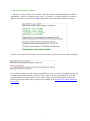
3) The 'Prepare project' button...
... asks you to select a Maxwell .mxs scene. Then the program automatically gathers all the
dependancies - the files required by the scene, e.g. textures - and pack them into a ready-toupload .vum archive saved in the archive subdirectory (no Maxwell Pack'n'Go needed!).
If a file is not found, RANCHecker will let you browse on your hard disk to find it manually.
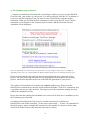
If your scene includes several cameras, RANCHecker (since version 2.2) will display the list
of all the cameras and will let you choose which ones to render on the RANCH. You will
need to upload your project only once to render all the cameras! More details on how the
RANCH processes multi-camera projects are available in the RANCH for Maxwell Render
User Guide.
3