1
Troubleshooting
Verify that you are using the included or appropriate power cord/adapter.
D
higher than the power rating
of the device. Otherwise, the device will burn down.
Select the proper UTP/STP cable to construct your network. Please check
that you are using the right cable. Use unshielded twisted-pair (UTP) or
shielded twisted-pair (STP) cable for RJ-45 connections: 100
Category
Category 5 cable for
3, 4 or 5 cable for 10Mbps connections, 100
100Mbps, or 100 Category 5e/above cable for 1000Mbps connections.
Also be sure that the length of any twisted-pair connection does not
exceed 100 meters (328 feet).
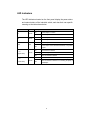
Diagnosing LED Indicators: The Switch can be easily monitored through
panel indicators, which describes common problems you may encounter
and where you can find possible solutions, to assist in identifying
problems.
IF the power indicator does not light on when the power cord is plugged in,
you may have a problem with power cord. Then check for loose power
connections, power losses or surges at power outlet. If you still cannot
resolve the problem, contact your local dealer for assistance.
If the Industrial switch LED indicators function normal and the connected
cables are correct but the packets still cannot transmit, please check your
system s Ethernet devices configuration or status.
15