1
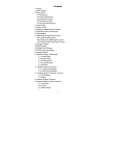
Table of Contents
Section 1: Getting Started .................................. 1
App Shortcuts .................................................... 9
Understanding this User Manual ........................1
Applications ..................................................... 10
Special Text .......................................................1
Section 3: Settings............................................11
Battery Management ..........................................2
Display ............................................................ 11
Battery Indicator.................................................2
Applications ..................................................... 12
Charging the battery...........................................2
Email ............................................................... 13
Turning the Device ON/OFF ...............................3
Backup & Reset............................................... 14
Micro SD Card....................................................4
Language & input ............................................ 14
Section 2: Understanding Your Device............... 5
Date & time ..................................................... 15
Features ............................................................5
About tablet ..................................................... 15
Home Screen .....................................................6
Section 4: Care and Maintenance.................... 16
Display Settings .................................................6
Section 5: Troubleshooting .............................. 17
Navigation..........................................................7
Section 6: Specifications .................................. 18
System Bar ........................................................8
Section 7: Warranty Information....................... 19
Notifications .......................................................8