1
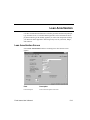
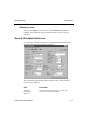
Loan Amortization
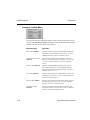
Forecasting
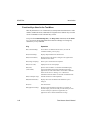
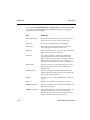
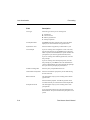
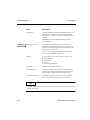
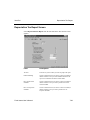
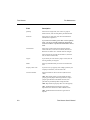
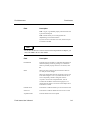
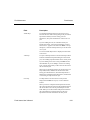
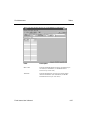
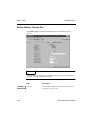
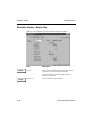
Field
Description
Loan Type
Select the type of loan you are working with:
S - straight loan
R - rule of 78s loan
B - balloon payment loan
F - fixed principal loan
First Payment Date
Press Enter if the first payment is due on the date that is
displayed, or enter the date the first payment is due.
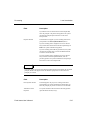
Payments Per Year
Enter the number of payments you will make in a year.
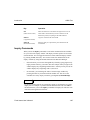
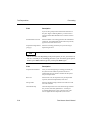
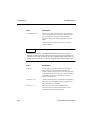
Loan Principal
If you are working with a straight line or rule of 78s loan,
enter the loan principal, or press Enter to leave this field
blank. If you leave the field blank, the system calculates the
principal after you enter the payment amount (below).
If you are working with a balloon payment loan, enter the
loan principal.
If you are working with a fixed principal loan, enter the
loan principal, or press Enter to leave this field blank. If
you leave the field blank, the system calculates the principal
after you enter the principal per period (below).
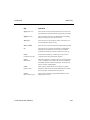
Annual Percentage Rate
Enter the yearly compounded interest rate.
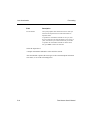
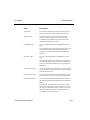
Total Number of Payments
Enter the total number of payments you will make during
the life of the loan.
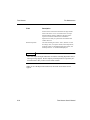
Balloon Amount
This field appears only if you are working with a balloon
payment loan.
Enter the balloon payment. The balloon payment cannot
exceed the amount you entered in the Loan Principal field.
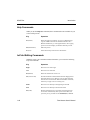
Principal Per Period
This field appears only if you are working with a fixed
principal loan.
If you entered an amount in the Loan Principal field, leave
this field blank. The system calculates the principal for each
period.
5-14
Fixed Assets User’s Manual