1
Setup
Setup Checklist and Functions
Because the codes are company-specific, you must set up a code for each company
a user needs to access. You can use the same code for each company so that the
user does not need to remember different codes. For example, you can set up the
access code CHARM for companies A01, B01, and C01 so that a user can use the
same code for each company.
What should be protected
Because of the sensitive nature of some of the information in the Fixed Assets data
files and reports, you should limit access to the functions that provide confidential
information or are sensitive to change. For maximum security, protect the Fixed
Assets application itself, each of the Fixed Assets menus, and the individual
functions.
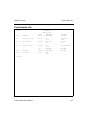
After you have set up your access codes, print a list of the codes and store it in a
safe place.
For more information about access codes, see the Resource Manager User’s Guide.
Backup Schedule
Plan a backup schedule before you begin day-to-day operations.
You can lose files because of disk drive problems, power surges and outages, and
other unforeseen circumstances. Protect yourself against such an expensive crisis
by planning and sticking to a backup schedule.
Backing up data files
Back up your Fixed Assets data files whenever they change—every day or every
week—and before you run these functions:
•
•
•
•
Compute Period Depreciation
Post Period Depreciation
Year-End Maintenance
Retire Assets
Fixed Assets User’s Manual
3-11