1
c) There are no “data download” files located in the expected drive/directory. For
example, for a standard local hard disk installation, these text files should be
located in the C:\PDC\ACM\EI\<Account> directory. Copying the files to the
expected location will correct this problem.
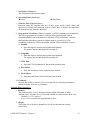
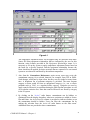
2. QA/QC per Agency Specs is used to validate the data that will be submitted to the
agency based on quality assurance criteria supplied by the agency. Not all items that
appear in the QA/QC Report are erroneous; however, all items shown in the report
could require some explanation if requested by the regulatory agency (e.g., an
“active” Source with no emissions). The user can print a copy of the QA/QC Report
to the designated “PRN” printer port by selecting “1” for printer options.
Windows Notepad and Wordpad functions for viewing and printing the report may be
accessed by selecting “0” for printer options, then choosing “Review QA/QC Report”
from the Agency Export menu. (See #4 below)
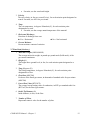
3. Create Upload File creates an encrypted, compressed file for submission to the
agency, based on agency-approved procedures and file formats. This function may
not be used until the user has run the QA/QC function, pursuant to a request by the
agency. Users should understand that this function will run after the QA/QC function
has been performed regardless of whether or not the potential errors noted in the
QA/QC Report have been corrected.
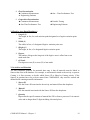
4. Review QA/QC Report enables on-screen review of the report as well as the
production of a printed copy. This report explains any errors or anomalies that were
identified. If the QA/QC function had not been run prior to selecting this review
feature, a message box will appear that informs the user that the QA/QC must be run
first to produce the information that will appear in the report.
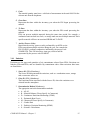
5. Review Comments to Agency is used to review and/or print the comments that have
been entered into the system for agency information. Comment data entry screens are
available on the detail screens for Source, Point, Control Device, and Emissions
where they can be entered in the comment box. Comments will be stored by calendar
year for the desired items.
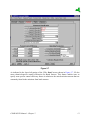
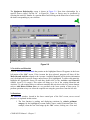
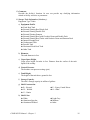
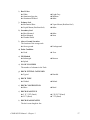
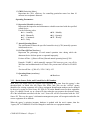
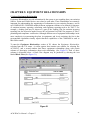
6.8 NY – Emission Inventory Reporting Forms
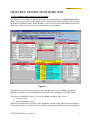
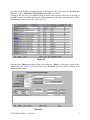
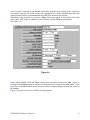
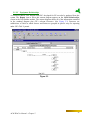
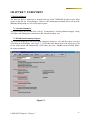
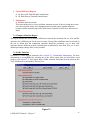
WinCeis produces the New York Emissions Inventory report on paper forms following a menu
selection from the Agency Export menu that only appears in the GE custom version, as shown in
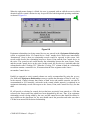
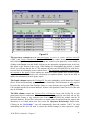
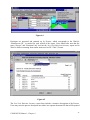
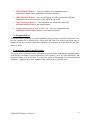
Figure 6.4. It sends the report directly to a printer after the Report Section is selected from a
secondary drop-down menu, shown in Figure 6.5.
COMPASS-EI Manual – Chapter 6
53