1
vv
qb v2.5
USER GUIDE
1
R
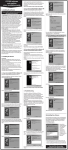
Smart strip turns into selection commands section (red). The commands are self-explanatory.
6. TRANSPORT BAR
The transport section in
qb covers most useful transport commands and much more.
In the default view, there are the following commands (from the right): RECORD, TOGGLE START, CYCLE, GO TO
LEFT/RIGHT LOCATORS, PREROLL, POSTROLL, PRECOUNT, CLICK. There is also the keypad with quantize values.
The quantize values are displayed on SMART STRIP when quantize-dependent navigation option is selected. When you press TOGGLE START button it turns into a flashing green square, which signals active playback. When you touch it again, first it turns into an orange square for about two seconds - touch it to
stop the playback and return to the original cursor position. After about two seconds the button will turn
into a gray triangle - pressing it will start the playback again.
-24-