1
DFTView® User Guide [Release 10.1.1, revision 173]
3 DFTVIEW NORMAL MODE
®
3.1 Overview
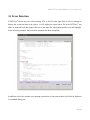
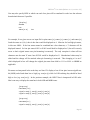
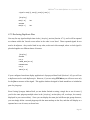
When you launch DFTView® you will see a source file editing window and, depending on which
waveform application you configured, a waveform viewer window – a separate application which
DFTView® will launch on your behalf. The main source editing window contains a number of menu
operations as well as one or more tabs, each with a control panel of buttons on the bottom. In summary
these operations and controls are:
-
Control Panel Buttons:
Regenerate Display (button)
Adjust Waveform Display (button)
Previous Vector (button)
Next Vector (button)
Adjust Source Display (button)
Close Current Tab (button)
-
File (drop-down menu):
File → Open
File → Close
File → Regenerate Display
File → Export Waveform to VCD
File → Save Source
File → Exit
-
Edit (drop-down menu):
Edit → Undo
Edit → Redo
Edit → Search
Edit → Search/Replace
Edit → Reset Preferences
Edit → Set Font Size
Edit → Toggle Insert/Overstrike
Edit → Previous Vector
Edit → Next Vector
Edit → Go To Line Number
Edit → Go to Time Point
Edit → Go to Cycle
Page 27