Download registering your device

Transcript
POWER
This conveniently positioned Piano Key provides you with an easily accessible ON/OFF menu to activate and deactivate your
Gizmondo Device.
TM
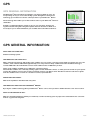
To activate your Device press on the POWER ( ) Piano Key and hold it down for a couple of seconds. Once the power supply
has activated your Device the Gizmondo logo will appear on the main screen and a message that the Device is loading will
appear on the bottom left hand side of the screen. Please wait while the Device starts up and loads its software.
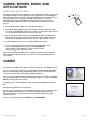
To turn your Gizmondo Device off, press the POWER (
available to you.
TM
) Piano Key and a screen will appear showing the range of options
You have the option to turn the power off and deactivate your device completely. You can also put your Device into standby
mode, which means you can still receive text and picture messages. To bring your Device out of standby mode you need to
press the POWER ( ) Piano key for a few seconds
Use the D-Pad to scroll down the options until the function you want to execute is highlighted. Then select the appropriate
function by pressing the PLAY ( ) Button.
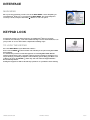
Flight mode allows you to turn off all radio functions for the Gizmondo Device, which means you, can safely use all other
functions whilst travelling on a plane.
TM
You can also Key Lock the device to disable all of the keys. To bring your device out of Key Lock, press the POWER (
key and select Unlock Keypad with the D-Pad and Play Buttons.
gizmondo quick start guide
POWER
) Piano
page 5