1
Windows XP offers groundbreaking
WLAN functionality
Apr 24, 2002
By Jason Hiner, MCSE, CCNA
I
magine that you’re working on an important new project. You took your laptop
home last night so that you could surf for
some cool pictures to download and add to the
PowerPoint presentation you created for
today’s meeting. This morning, you bring your
laptop into work, pop it into its docking station, and make a few last-minute additions and
corrections to the presentation. At 8:55, you
pop your laptop out and head down to the
meeting, where you hook it to the projector,
make your PowerPoint presentation, and then
surf through a few competitors’ Web sites to
give your peers a better idea of what you’re
talking about.
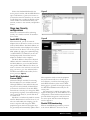
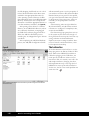
The best part of Windows XP’s enhanced
WLAN support is that driver and WLAN
configuration are absorbed directly into
XP’s NIC configuration
After the meeting, you and your laptop take
the half-mile walk over to the building where
your CTO has her office. You meet with the
CTO and give her the abridged version of the
presentation, surfing a couple of competitors’
Web sites to give her some examples.
Finally, at the end of the day, you take two
of your company’s developers out for a cup of
coffee at Starbucks, where the three of you sit
down—with your laptops, of course—and discuss some of the technical details of your proposal. Unfortunately, one of the developers
forgot to print out an important document
that the three of you were going to discuss. No
problem. You simply make a VPN connection
to the office and grab the document off the
file server and then you e-mail it to the other
two developers, who receive the file in less
than a minute.
44
Wireless Networking Survival Guide
In this scenario, you roamed across four
networks in five physical locations. If your laptop had been configured with Windows XP
and a wireless network card, you would have
had network connectivity at each stop and,
better yet, you would not have had to do any
reconfiguration as you roamed to each place.
Of course, this assumes that each location had
connectivity to a wireless access point, but
with the rapidly declining prices of wireless
hardware and the adoption of WLANs in corporations and public spots such as Starbucks,
this is definitely a plausible scenario.
Wireless LANs in Windows XP
The kind of network roaming depicted in this
example would have been much more difficult
(impossible in most cases) in Windows 2000
and other versions of Windows. That’s
because in Win2K, wireless networking configuration is handled primarily by third-party utilities that are installed along with WLAN
network card drivers that come from WLAN
vendors. The best part of Windows XP’s
enhanced WLAN support is that driver and
WLAN configuration are absorbed directly
into XP’s NIC configuration, and WLAN network roaming is handled with precision and
simplicity.
Here are the three major improvements that
make WLANs work so well in Windows XP:
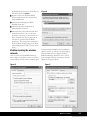
X Zero configuration—The third-party drivers and WLAN configuration utilities used
with previous versions of Windows can be
described as inelegant, at best. Windows XP
makes the process much simpler by automatically recognizing almost all WLAN
network cards (eliminating the need for
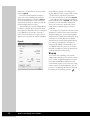
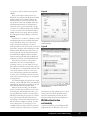
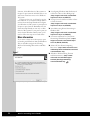
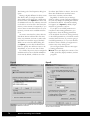
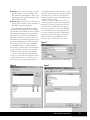
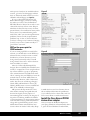
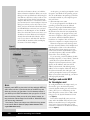
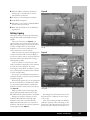
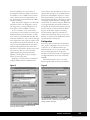
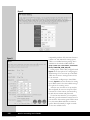
third-party drivers). To configure the
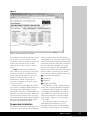
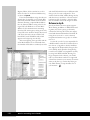
WLAN, you simply go into the Properties
for the network card, where you will automatically find an extra tab named Wireless
Networks. There you can choose from