1
Stage one: Security
configurations for the wireless
network access point
In this first stage, you should make sure that the
wireless network is running and clients are able
to connect. You should note that some of the
security configurations that I list here will make
it more difficult to isolate network connectivity
problems. But, ultimately, the enhanced security
is worth the extra connectivity troubleshooting
you might have to do down the road.
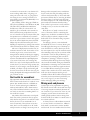
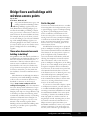
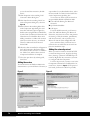
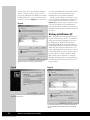
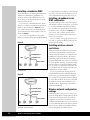
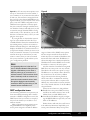
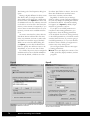
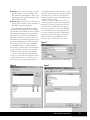
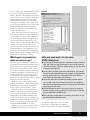
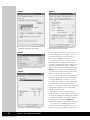
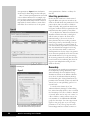
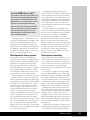
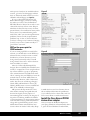
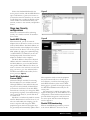
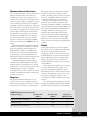
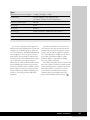
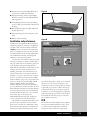
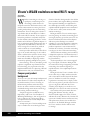
Figure A
The configurations for stage one are:
1. Place wireless access point away from
windows or exterior walls. The closer an
access point is to a window or exterior wall
the greater the signal will be outside the
building.
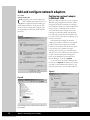
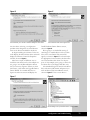
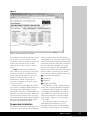
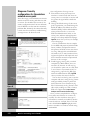
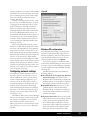
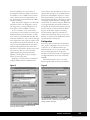
2. Change the default settings for the access
point. In particular, you should change the
default IP address, the default service set
identifier (SSID), and the default administrative password. To do so, access the
Web-based administration utility on the
access point, and then make appropriate
changes to the Setup and Password pages.
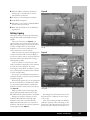
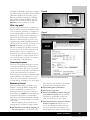
Figure A shows what you’ll see, for example,
on the Setup page.
Choose combinations that are complex
for the SSID and password, which include
letters, numbers, and special characters.
The phrases should be at least nine characters long. Although this sounds like basic
information, all too many businesses have
neglected to perform this simple task and
have found their networks compromised
because of this oversight.
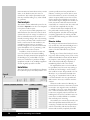
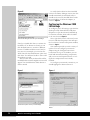
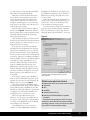
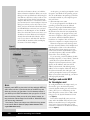
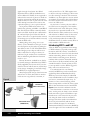
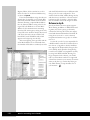
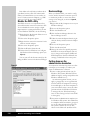
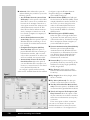
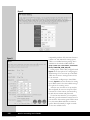
3. Enable logging. The log tells you which
computers (by MAC address) have connected to the network. As with any log,
you should do a quick scan on a daily basis
to see if there is any unusual activity. To
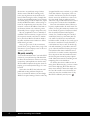
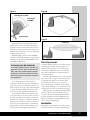
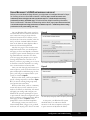
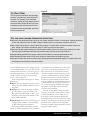
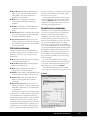
change the log, open the Log Web page
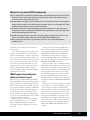
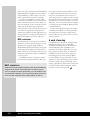
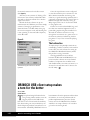
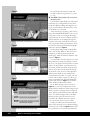
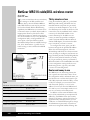
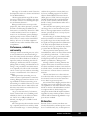
within the administration utility. Figure B
shows you what this screen looks like.
You can also have the log sent to another
computer and view it using the Log Viewer
utility provided by Linksys. I prefer this
method because I can centralize my log
files. Unfortunately, the Log Viewer is available only by sending an e-mail to Linksys
Web site’s support desk (http://www.
linksys.com/contact/contact.asp).
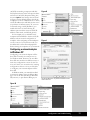
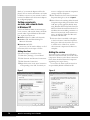
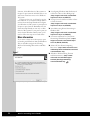
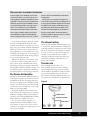
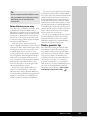
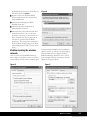
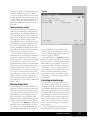
Once you have completed these configurations, make sure all clients can connect successfully. You also should see what type of
information is normally accessible by wireless
network analyzers. A simple, free tool for this
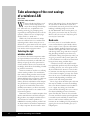
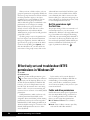
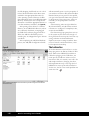
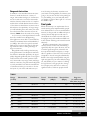
task is NetStumbler. Figure C highlights information accessible on a wireless network using
NetStumbler.
Figure B
122
Wireless Networking Survival Guide