1
5-2
DeviceNet Parameter Descriptions
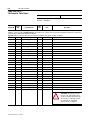
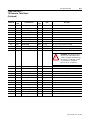
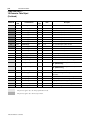
Parameters and EDS File
(Continued)
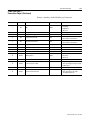
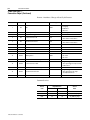
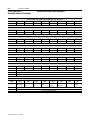
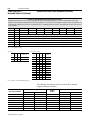
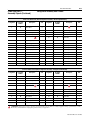
Parameter values may be read or written via DeviceNet. Writing a
value to a parameter may configure drive operations such as
acceleration or deceleration rates. Writing a value to a parameter may
also configure DeviceNet operations such as which input or output
assemblies are to be used for polled I/O communications with a
master. Reading a parameter value gives you status information.
Bulletin 160 SSC Interface
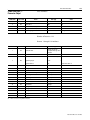
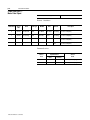
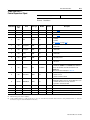
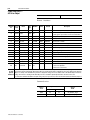
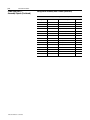
This parameter set contains all of the parameters described in the
Bulletin 160 SSC User Manual, plus a few extra parameters to configure
the operation of the 160-DN2 module on the DeviceNet network.
Locating EDS Files on the Internet
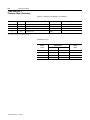
Bulletin 160 SSC drives are available in Analog Signal Follower and
Preset Speed models. Each model supports a slightly different set of
parameters. (In general, the Preset Speed model contains extra
parameters for setting up preset speeds.) Accordingly, each drive
model uses an EDS file specific to that model.
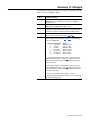
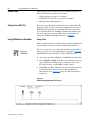
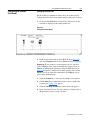
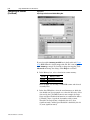
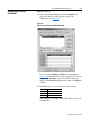
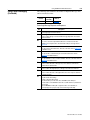
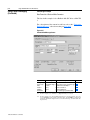
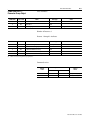
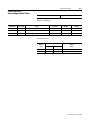
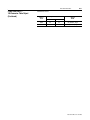
You can find the EDS file for your drive at http://www.ab.com/
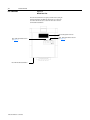
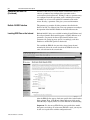
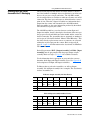
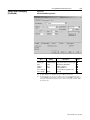
networks/eds. Select the search criteria for the EDS file to be the
same as that shown in the screen below.
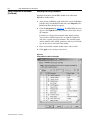
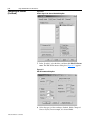
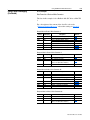
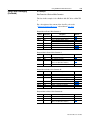
After the EDS file list appears, find your specific drive in the Product
Name column. Then, in the Brand column of that row click on the
Allen-Bradley Company link to access the EDS file for downloading.
Important: Use the correct EDS file for your specific drive model,
horsepower, and voltage. If an incorrect EDS file is used, you may not
be able to set up the drive with the configuration tool.
Publication 0160-5.18 - June 2003