1
ENG
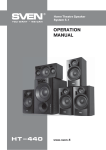
HT-435D
Operation Manual
a
h
b
c
i
d
j
e
a
b
c
f
g
d
Fig. 1. Front control panel
• Remote control
• Wall mountable satellites
Subwoofer front panel
a STANDBY: STANDBY LED
b POWER: on/off button
c IR: IR window
d OPTICAL: OPTICAL mode LED
e COAX: coaxial input switch-on LED
f AUX: stereo input switch-on LED
g DD5.1/DTS: current digital signal format LED
h VOL-/VOL+: volume -/+ control button
i 2.1/5.1: mode select button
j INPUT SELECT: input selector button
e
f
g
Subwoofer rear panel
a OPTICAL INPUT: optical input
b AUDIO INPUT: AUX stereo input (left/right) for
PC, CD/MP3 stereo players, etc.
c COAX INPUT: coaxial input
d AUDIO OUTPUT: output jacks for speakers
connection:
• FL/FR: left/right front channel output
• CEN: center channel output
• SL/SR: left/right surround channel output
e FUSE: safety fuse
f POWER: power on/off switch
g Power cord
Fig. 2. Rear panel
3