1
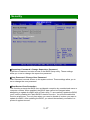
Security
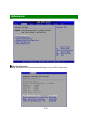
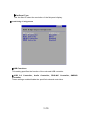
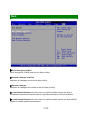
Supervisor Password / Change Supervisor Password
Supervisor Password controls access to the BIOS Setup utility. These settings
allow you to set or change the supervisor password.
User Password / Change User Password
User Password controls access to the system at boot. These settings allow you to
set or change the user password.
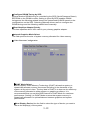
Boot Sector Virus Protection
This function protects the BIOS from accidental corruption by unauthorized users or
computer viruses. When enabled, the BIOS’ data cannot be changed when
attempting to update the BIOS with a Flash utility. To successfully update the BIOS,
you’ll need to disable this Flash BIOS Protection function. You should enable this
function at all times. The only time when you need to disable it is when you want to
update the BIOS. After updating the BIOS, you should immediately re-enable it to
protect it against viruses.
3-17


























![[SPT-3000] e](http://vs1.manualzilla.com/store/data/005667089_1-a5f3766b3193f6552f250995926a69c5-150x150.png)