1
Chapter 3
Programming and Parameters
Chapter 3 provides a complete listing and description of the PowerFlex
40 parameters. Parameters are programmed (viewed/edited) using the
integral keypad. As an alternative, programming can also be performed
using DriveExplorer™ or DriveExecutive™ software, a personal
computer and a serial converter module. Refer to Appendix B for catalog
numbers.
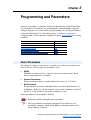
For information on…
About Parameters
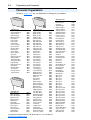
Parameter Organization
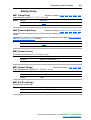
Basic Program Group
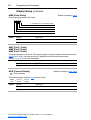
Advanced Program Group
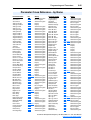
Parameter Cross Reference – by Name
See page…
3-1
3-2
3-9
3-14
3-45
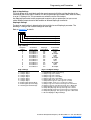
About Parameters
To configure a drive to operate in a specific way, drive parameters may
have to be set. Three types of parameters exist:
•
ENUM
ENUM parameters allow a selection from 2 or more items. Each
item is represented by a number.
•
Numeric Parameters
These parameters have a single numerical value (i.e. 0.1 Volts).
•
Bit Parameters
Bit parameters have four individual bits associated with features or
conditions. If the bit is 0, the feature is off or the condition is false. If
the bit is 1, the feature is on or the condition is true.
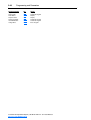
Some parameters are marked as follows.
= Stop drive before changing this parameter.
32
= 32 bit parameter. Parameters marked 32 bit will have two
parameter numbers when using RS485 communications and
programming software.
PowerFlex 40 Adjustable Frequency AC Drive FRN 1.xx - 6.xx User Manual
Publication 22B-UM001G-EN-E