1
3-22
Programming and Parameters
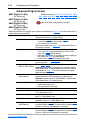
Advanced Program Group (continued)
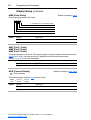
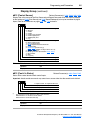
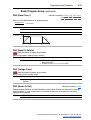
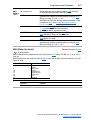
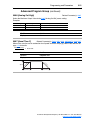
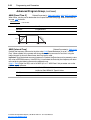
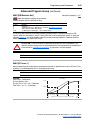
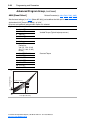
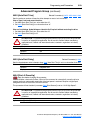
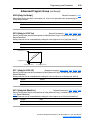
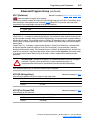
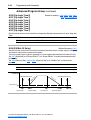
A068 [Decel Time 2]
Related Parameter(s): P040, A051-A054, A070-A077, A140-A147
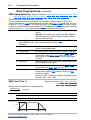
When active, sets the rate of deceleration for all speed decreases except jog. Refer to the flowchart
on page 1-24 for details.
Maximum Freq
= Decel Rate
Decel Time
Values
Default:
20.0 Secs
Min/Max:
0.1/600.0 Secs
Display:
0.1 Secs
P035 [Maximum Freq]
Ac
on
ce
i
rat
ler
a
le
ce
tio
n
De
Speed
0
0
P039 or A067
[Accel Time x]
Time
P040 or A068
[Decel Time x]
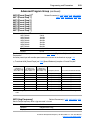
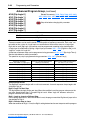
A069 [Internal Freq]
Related Parameter(s): P038, A162
Provides the frequency command to the drive when P038 [Speed Reference] is set to 1 “Internal
Freq”. When enabled, this parameter will change the frequency command in “real time” using the
integral keypad Up Arrow or Down Arrow when in program mode.
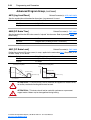
Important: Once the desired command frequency is reached, the Enter key must be pressed to store
this value to EEPROM memory. If the ESC key is used before the Enter key, the frequency will return
to the original value following the normal accel/decel curve.
If A051 - A054 [Digital Inx Sel] is set to 16 “MOP Up” or 17 “MOP Down” this parameter acts as the
MOP frequency reference.
Values
Default:
60.0 Hz for IP20 rated drives
0.0 Hz for IP66, NEMA/UL Type 4X drives
Min/Max:
0.0/400.0 Hz
Display:
0.1 Hz
PowerFlex 40 Adjustable Frequency AC Drive FRN 1.xx - 6.xx User Manual
Publication 22B-UM001G-EN-E