1
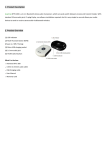
OVERVIEW
*Press and release
*Hold for 5 seconds
*Press and release
*Charging port
TLink only has three buttons with three basic functions. However,
updates may be released through the application to allow for more
complex features to be used at your discretion.
* Must hold down middle button for 5 seconds to either power on or off.
* Press and release top and bottom buttons for changing holes.
* Note that manual hole change can be avoided by activating auto-hole
advance in the TLink application (see pg.8).
*We suggest that you fully charge your new TLink (aprox. 3hrs) prior to
first use