1
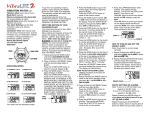
* Push the START/STOP Button to
start the counting up.
The Icon located at the top
left of the display under the
C will flash.
* To Stop the Counting, Press the
START/STOP Button.
* Pushing the START/STOP Button
again will start the stopwatch
counting from where it stopped.
* To reset the stopwatch to zero while
running, push the START/STOP
Button and then push the
LAP/RESET Button. To reset to zero
when stopped, push the LAP/RESET
Button.
Split timing on Stopwatch
* Start the Stopwatch by pushing the
START/STOP Button. The
stopwatch will start counting up.
* Push the LAP/RESET Button. The
watch will continue counting even
though you do not see it on the
display. The Icon at the top of the
display will continue to flash to show
action and that counting continues.
* Push the LAP/RESET Button again
and the display will change and show
the time that has accumulated in total.
* To reset the stopwatch to zero, push
the START/STOP Button and then
push the LAP/RESET Button.
TIMER MODE can be set for
countdown in Hours, Minutes and
Seconds. Timer can be set for any
amount of time up to 23 Hours, 59
minutes and 59 seconds. Note: If hours
or minutes or seconds are not wanted on
countdown, leave at 0 during setting.
A 5 second alert will be activated when
countdown reaches zero. If the time set
is less than 30 seconds, the alert will be
only 1 second.
Having the Countdown Time
Continually Repeating automatically is
an option. .
Having a reminder before zero on the
countdown is an option that can also be
set. The reminder alert is one second.
SETTING TIMER FOR COUNTDOWN
* Push MODE Button to
rotate to TIMER
MODE.
* Push and Hold LAP/
RESET Button.
HOLD TO SET will be show on the
display. Hold for 3 seconds.
Hour digit will flash.
* Push START/STOP Button to rotate
to desired hours of time wanted.
* Push MODE Button. Minutes will
flash.
* Push START/STOP Button to rotate
to desired minutes of time wanted.
* Push MODE Button,
Seconds will flash.
* Push START/STOP Button to rotate
to desired seconds of time wanted.
* While Digits are still flashing,
Push MODE Button.
REPEAT will show on display.
* Push START/STOP Button to select
REPEAT ON or REPEAT OFF.
If you set Repeat ON, the countdown
timer will alert you each time it reaches
zero and automatically reset itself for
the time you originally entered. It will
also give you a count of how many times
it has repeated. (Up to 99 and rolling
over to 0). If you set Repeat OFF, the
timer will countdown to zero and alert
you but will not repeat automatically.
You can however manually reset to the
original time entered by pushing and
holding the LAP/RESET Button.
* Push MODE Button. REMIND will
show on display.
* Push START/STOP Button to select
REMIND ON or REMIND OFF.
With REMIND ON, when the
Countdown is set for more than 5
minutes and less than ten minutes, a
reminder alert will be activated at 5
minutes before zero. When the
countdown is set for more than 10
minutes, a reminder alert will be
activated at 10 minutes and at 5
minutes before zero. Select REMIND
OFF if you do not want reminders
before zero.
* Push LAP /RESET button when
settings are completed. Flashing will
stop.
STARTING/STOPPING
COUNTDOWN TIMER
* While in TIMER MODE
Push START/STOP
Button to start
countdown.
Icon located above seconds
digits will flash indicating
countdown timer is
activated.
* Push START/STOP Button to stop
countdown while it is running or to
continue countdown when it is
stopped.
QUICK RESETTING of
COUNTDOWN TIME (WHILE
COUNTDOWN IS RUNNING OR
STOPPED DURING COUNTDOWN)
* While in TIMER MODE
Push and Hold LAP/RESET Button
HOLD TO RST (Reset)
will show on display.
Hold for 3 seconds.
Original time set for
countdown will automatically reset.
OPTION MODE
Is used to select the alarm preference of
Vibration (VIBRA) Audible (SOUND) or
both.
SET VIBRA ON OR OFF, SOUND ON
OR OFF
SET HOURLY ON OR OFF to alert you
every hour on the hour. A one second
reminder alert (Vibration, Sound or
Both) will occur as set.
* Push the MODE Button
to rotate to the OPTION
MODE. Wait 3 seconds.
VIBRA OFF will then
show on the display.
* Push START/STOP Button to change
to VIBRA ON.
* Pushing START/STOP Button again
will change to VIBRA OFF.
* Push LAP/RESET Button. SOUND
OFF will show on Display.
* Push START/STOP Button to change
to SOUND ON. Pushing
START/STOP Button again will
change to SOUND OFF.
* Push LAP/RESET Button. HOURLY
OFF will show on Display.
* Push START/STOP Button to change
to HOURLY ON. Pushing
START/STOP Button again will
change to HOURLY OFF.
* Push MODE Button to return to
Calendar/Clock Mode.
Icons will show settings selected on
display under date.
VIBRA ICON:
BEEP:
HOURLY:
TO REVIEW OPTION SETTINGS
* Push MODE Button to rotate to
OPTION MODE.
* Push LAP/RESET Button. VIBRA,
SOUND & HOURLY alert setting
will rotate & show what is currently
set.
QUICK CHECK TO CONFIRM
OPTION SETTINGS
Each time the MODE Button is
pressed the Alarm Option that is set
will occur. Example: If VIBRA is set
you will feel the Vibrations with each
press of the MODE Button.
EL LIGHT (Display back light)
* Push the LIGHT Button to turn on the
backlight. Note: Light can be
activated in any Mode.
Light will stay on for 3 seconds and
then automatically turn off if another
button is not pushed.
For watch settings in the dark, Light
will continue to stay on while any
other button is pushed within 3
seconds.
Example: This allows you to set the
countdown timer by rotating through
the steps and having the light on
during the process.
IMPORTANT PRECAUTIONS
VibraLITE watches are not intended
to be worn during swimming, diving
or in the shower.
Do not attempt to open the watch to
replace the battery yourself, or for any
reason, as this operation must be
performed by a qualified technician
under controlled conditions.
We recommend that you retain your
original sales slip as your proof of
purchase date.
BATTERY INFORMATION
Your watch uses a Standard 3 volt
lithium CR2032 or equivalent battery.
Battery life will vary due to how often
the EL back light and vibration
function are used. Batteries must be
replaced by a qualified person to
maintain water resistance.
ONE YEAR LIMITED WARRANTY
Your VibraLITE 8 is warranted to be
free from defects in material or
workmanship for One Year from the
date of purchase.
Vibra LITE 8 is a Trademark of GLOBAL ASSISTIVE DEVICES, INC.
This is a limited warranty and covers
watch functions only. This warranty
does not apply to the battery, band, case
or crystals since such items are subject
to wear and tear of daily use. The
warranty is void if the watch has been
tampered with, altered, abused, or
subjected to extreme conditions for
which it was not designed, or repaired
other than by a qualified service center.
At its option, GLOBAL ASSISTIVE
DEVICES, INC. may select to replace
the unit, rather than repair it. During the
warranty period, return the watch, with
dated proof of purchase, in a secure
package, insured and with shipping
charges prepaid. No C.O.D. packages
will be accepted. Please include a note
describing the service required, your
return address and include $9.95 (check,
money order, Visa, MasterCard,
American Express, or Discover) for
shipping and handling in the USA.
Other Countries please contact us for
pricing.
OUT OF WARRANTY SERVICE
Follow the same procedure for shipping
to us as you would for warranty service.
Be sure to include a description of the
problem. An estimate will be submitted
for your approval for any labor or parts
not covered by the warranty before any
work is performed.
SERVICE
Before sending your watch for service,
have the battery checked and/or try
resetting by pushing all 4 buttons at the
same time and hold until the display
clears and then reset time etc. Qualified
service personnel must service this
watch. Attempt to service the watch by
the user will void the warranty.
Servicing should be referred to:
GLOBAL
ASSISTIVE DEVICES, INC.
1121 East Commercial Boulevard
Oakland Park FL 33334
DISCLAIMER:
In no event shall Global Assistive
Devices, Inc. be held liable for any
special, incidental, indirect or
consequential damages whatsoever
including, but not limited to, damages
for loss of property, personal injury, loss
of privacy, failure to meet any duty,
negligence, and any other loss
whatsoever, however caused, even if
Global has been advised of the
possibility of such damages. This
disclaimer of liability applies to any
damages or injury, including but not
limited to those caused by any failure of
performance of the product.
Responsibility for selection, safety and
suitability of any product rests with the
consumer. Circumstances or
consequences arising out of or in any
way related to the use of or inability to
use our products is the responsibility of
the consumer. Global Assistive Devices,
Inc. cannot be held liable in any way.
Page 2