1
Introduction
Specifications
Specifications
Size:
8 inches (20.32 cm) wide by 11.18 inches (28.40 cm) high by 7.52 inches (19.10 cm) deep
Weight:
5.60 lbs (2.54 kg) – 6.90 lbs (3.13 kg) with optional backup
Power:
12 VDC nominal (10.8 to 13.5 VDC), 4.5 Watts max. Linear power supply recommended
Transient Protection:
8,000 volts – all terminals
Reverse Voltage:
On power input
Environment:
Operating: 32°F to 113°F (0°C to 45°C)
Relative humidity: 5% to 95%, non-condensing non-operating (storage): -40°F to 185°F (-40°C
to 85°C)
Verification Time:
Less than one second
Date Retention:
3 years using a standard internal lithium battery
Transaction Buffer:
Memory card-dependant
Baud Rate:
9600 to 115200 bps
Communications:
TCP/IP over ethernet – 10/100 Base T
Function Keys:
8 programmable soft keys
Alarm Monitoring:
Unit tamper
Relay Output:
1 – 250 VAC @ 10A
Battery Backup (optional):
2 hour minimum run time
Table 3.1: Terminal Specifications
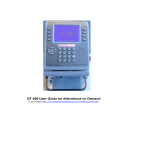
Using the GT Series Terminal Keypad
Types of Keys
There are three types of keys used to make entries into the terminal. Each will be indicated in this guide as shown
below.
Type of Key
Location and Purpose
Function Key
These keys are located on both sides of the terminal screen. They are used to
navigate through the command menus.
Alpha-Numeric Key
These keys are located in the terminal keypad. They are used to enter letters and
numbers into the terminal.
Navigation Pad
These keys are located to the left of the terminal keypad. They are used to navigate
through lists displayed on the terminal screen. The middle key can be used as an
“Enter” or “Select” key.
Table 3.2: Types of Terminal Keys and Corresponding Symbols
4
Symbol
1
.-+