1
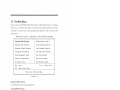
VIA KM266Pro CHIPSET with AGP 4x slot 8. with
6-CH CODEC ILAN IUSB 2.0 IATA133 [On board VGA
support AMD Athlon XP [Athlon lDuronlSempron
processor Micro ATX Main Board
On board VGA /6-CH Audio /USB2.0 /DDR333 /ATA133 Solution
pJ■ p.
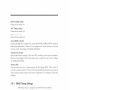
PC Health Monitoring CPU
temperature. System
temperature. System Voltage
(Vcore. 3.3V. 5V. 12V...).
FAN speed
LINE-OUT
Support 6 ports USB 2.0
VIA VT6103 LAN
PHYceiver
Support 10/100Mbps full
and half duplex operation
6-Channel AC'97 Codec
Support From. Rear.
Center-Base Speaker
Output
AGP 4Xl8X Slot
Support 4X AGP VGA Card
BIOS Write Protect function
to avoid V|I'U5 crash data
ATA133 IDE Interface
Support DDR200f266I333
DRAM
Module Max. 2.0GB
Support 133MB/s transfer
rate
improve performance
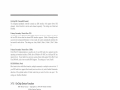
Pro (‘curl r
— PGA 462 Socket for .A\.\-II) Athlon XI‘!
("lira DU. I I33
Special Frrnction
- Support 2 I Ultra D.‘l.-\ 56/I00/IJ3 IDE
.-\thIon.’Duron."Sempron processor. support
ZIIU/2t1tv'333.\lHz Front Side Bus
3 pJ■ 5|_]pp()|'[i[‘]g fur
Interface (Up to 4 IDE Devices 8: l33.\[Bfs
lransrer ml?)
_!.A
..,_.._‘(.__d
‘-1 ‘Pl IDE
D R0“ (D R D R“ an
LS-120
So (on
Freiuency
I’("‘l‘»’ ( 'oIor/‘oi IJU I’m-.r.\— VIA l(.\l266l'ro North Bridge
_ MUSE 2"" Porn "Serial Ports‘ lxpamllel
— \'l.-\ VT8235 High Bandwidth Vlink Client
port
South Bridge
— l7£l'S."Z Keyboard Port. HPSIZ .\'louse
I;'.\'puu.sion .WrJt'
P""~ 1-"F'”PP3" Pm‘
— Support 3xP(‘I Slots
‘ 1‘Li""‘i"’°“"“'C Fur“
a 1.»: .-\GP Slot support .-\(.'P -l.‘\'
.S:|'_\'rw:r _‘llt'mor_1— 2 K I84-pin DDR Module Sockets Support
.\lax 2GB. 2.5\' DDRZOIIIDDRZO6
IDDRJJ3 I)DR SDR.—\.\I
.Itur:pIy\.\'
— Support Jumpless function by BIOS
.‘-il-‘.Tl.'P let users more easier change the
Fre uencv
.Urr_::i(' .Yt'!ri".tl_;
- Support CPU Front Side Bus step by step
setting in BIOS SETUP let users have
many choice when use over-clock function
(I mm: "H"
_
R
Directcd
pow-3, Man-agemem
MODEM Rim: remote woke u
—
,
P
— _ RTC‘ Alarm. Keyboard
_
_ Power On
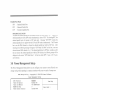
PC Health Monitor CPL temperature.
_
r
System teinperature. System Voltage
(Vcore.3.3V.5V. I 2V . . . . .. ). FAN speed
Power Fail Re¢'ow_=r_rfin1c!r'0n
CPU overheat‘ slmt down protect
frrnerion for Athlon XP CPU
__th 0 b d
DDR Module 2.5 V mirage Minor
— . 6-Channel
o mart. .- uCODEC
no ontro
erm to nAC9‘/"
oar
Compliant
Adjmmbie 1.” BIOS
— Support JD Surround 3: Positioning. Full
D" '9!
()1: Bmrrrl L-l.\'
/-ltrta Power ojfwlren CPUE-1N
didrr '1' install‘
— Support IEEE 302.3 moon ms]: T
standard
_ S“ I on Rm" 0“ L_‘\- funfliun
- 0“ Bmnfl. I .6: I
Trademark
*
K7 and Duron is a trademark or.-U-ID. the
ottlher nameeand brands are the property of
t ctr respectne owners.
— Optimized Shared Memory Architecture
[S5].-X) .\Iax. 6-1.\lB frame buffer
— Internal .-\GP 831 perforntunee
-— l28bit ZDIJD graphics engine
_ Graphic engine clocks up '0 IBM":
decou led from memorv clock
I)r'r:wrm'o:r
.\licro ATX form factor (24.-lcm x l9.0cm)
JETWAY INFORMATION co., LTD.
04071-M