1
Introduction & Program Hints
All programming for the OPTEX INC. SMDC may be accomplished through the SMPC-32 Personal Control Keypad or from the DOS –
SRPU Download Software. English language prompts guide the programmer through easy to follow menu options should you choose to
program via the SMPC keypads.
• Should your company wish to receive a copy of the SRPU software, please contact Tech Support at Optex Inc.- 800-966-7839.
Programming the OPTEX INC. SMDC
•
•
•
•
•
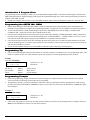
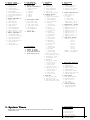
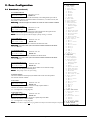
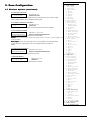
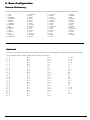
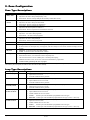
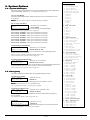
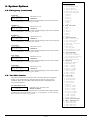
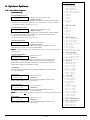
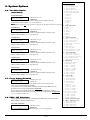
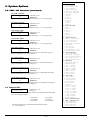
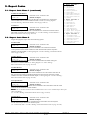
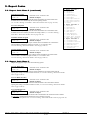
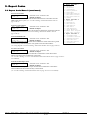
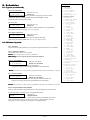
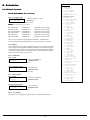
Installer Programming for the OPTEX INC. SMDC is made up of ten main menus, each containing various sub-menus that are
arranged by system functions to simplify the programming procedure. (See page 3 & 4 for an expanded view of the menu options).
To access the OPTEX INC. SMDC Installer Program, press 0000 + PROGRAM, the LCD will change to ‘ENTER YOUR
COMPANY PIN’. At this time enter the factory installed code of 9999.
Once the factory installed code has been entered, the top line of the LCD will display ‘ENTER RESPONSE’ and the bottom line of
the LCD will be scrolling the nine (9) main menus beginning with “1 SYSTEM TIMES,” “2 ZONE CONFIG,” and so on. To select
one of the nine main menu options, simply press the number that corresponds to the desired menu.
Once inside one of these menus, the top line will display the name of the menu you are currently in and the bottom line will again
scroll the available options. To exit out of a given menu, press the CLEAR key. This will take you back to the previous menu option
each time the CLEAR key is pressed.
To exit out of the Installer Program, press the CLEAR key when the top line is displaying “Enter Response.”
Programming Tip
•
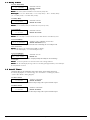
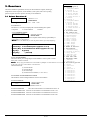
Next to each programming description in this manual you will notice that there are numbers next to each programming option. This
number is a quick reference as to which numbers to press at the keypad to access that programming memory location.
Example:
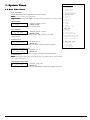
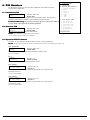
1.1.5. A C Fail Display
AC Fail Display
NO 0=NO 1=YES
The first 1.
The second 1.
The 5.
denotes
denotes
denotes
Selections: Yes / No
Default: No
“System Times”
“Delay Times”
“AC Fail Display”
Programming Prompts
•
•
Each of the programming prompts contained in the Installer Program are explained in detail, indicates what the factory default
values are and the possible range of entries that can be programmed.
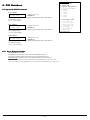
Throughout the program, you will be prompted for either YES or NO type questions that must be responded to by either pressing
the 0 key followed by the ENTER key to disable the option or to press the 1 key followed by the ENTER key to enable this option.
(See Example 2)
Example: 2
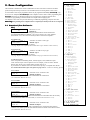
2.1.2. Telephone Output
Z-1
YES
•
TELEPHONE
0=NO 1=YES
Selections: Yes / No
Default: No
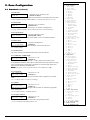
Other menus will prompt you for an entry, that after you have made your selection, will be pulsating on the LCD display which you
must press the ENTER key to lock in your selection to memory.
Optex Inc. - 1845 W 205th St. - Torrance, Ca. 90501 - 800-966-7839
SMDC-16 Program Manual
3440-0252 A4