1
15. Talk Feature
15.1: Talk Feature
The Talk feature is a special function that
allows the user to transmit audio. This
feature allows users to communicate
with any other device in the system. The
user can also choose the specific device
or person they wish to communicate
with. This useful feature can be used in at
any time in any mode there is always a
channel for communication.
15.2: Using the Talk Feature
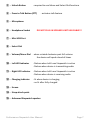
Press the Press to Talk button (PTT) ④
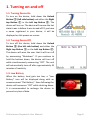
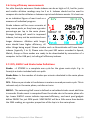
to activate the talk feature. When the PTT
button ④ is held, “PTT” will appear in
the bottom left corner indicating that the
talk feature is active. The bottom right of
the screen shows the target audience
(see below for more details). When the
Stopwatch is receiving audio from
another device, the top status line
displays the signal strength and the
device ID of the transmitting device.
• - All All devices
• Speakers
All speakers
• Watches
All Stopwatches
• Athletes
All athletes
• Lane #1-#2
Corresponding lane
• Athlete #0-#16
Corresponding individual athlete
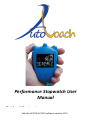
Performance Stopwatch User Manual
Page 34