1
16.4: Reaction Compensation Value
Timing with traditional stopwatches is
usually out of time with official timings due
to human reaction delays. Generally, human
reactions take place around 0.18 to 0.24
seconds after the stimulus was received by
the person. The Reaction Compensation
Value will adjust the time at which the
stopwatch starts timing. This means if the
Reaction Compensation Value was set at 0.22, the stopwatch will start timing at
0.22 seconds instead of starting from 0.00 seconds. This will make stopwatch
times closer to the times recorded by an automated system. If the user can
anticipate the start of the timing (e.g. being the starter), no compensation is
necessary.
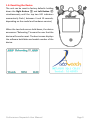
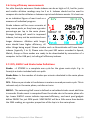
In Watch and Speed mode, the Reaction Compensation Value is located in the
bottom right corner. The Reaction Compensation Value in the format “R .##” can
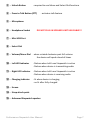
be adjusted by pressing Unlock ③ and rotating the Select Dial ⑧ only when
there are no active operations (no timers or talk functions running). The reaction
time can be set from 0 to 0.4 seconds.
16.5: Undoing the Last Split
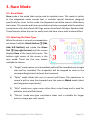
In Watch and Race modes, the last split can be “undone” by a double press on the
corresponding knob button. This “undo” operation can only be used when the
timers are stopped. When a timer is running, this feature will function as stopping
a watch without recording the last split. This feature can be useful in many ways
such as missing the end of a race and the watch is still running.
16.6: Scrolling Through Splits
In Watch, Speed, Interval, and Race modes, the splits recorded can be quickly
reviewed without having to switch modes. When there are no active stopwatches,
rotate the Right Button ① to browse through the splits. For a more detailed analysis
of results, switch to Splits or Graph mode.
Performance Stopwatch User Manual
Page 36