1
Chapter 8. Communication Driver
8.6 LS MASTER-K500H/1000H : Dedicated Protocol
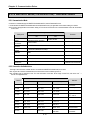
8.6.1 Communication Mode
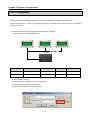
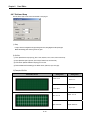
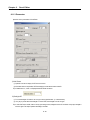
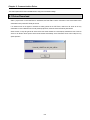
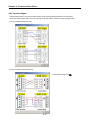
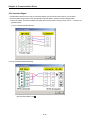
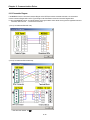
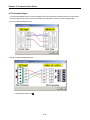
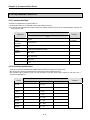
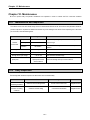
Connection is available through LS MASTER-K500H/1000H PLC and the Dedicated Protocol.
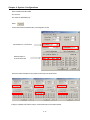
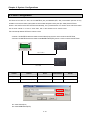
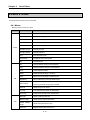
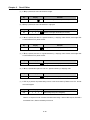
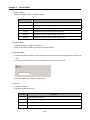
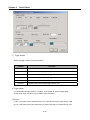
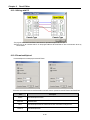
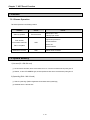
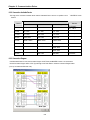
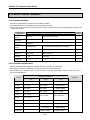
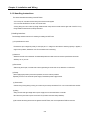
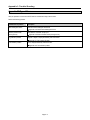
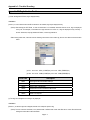
If connected with LS MASTER-K500H/1000H and the Dedicated Protocol, its applicable communication setting is as follows.
At this moment, the applicable communication setting of PLC and the XGT Panel to be connected between should be set identical
to each other.
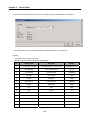
Setting Contents
Setting Item
CH 1
Communication
Mode
Instrument Sided
Connector
Connection
Protocol
Communication
Speed
Remarks
CH 2
RS-232C
RS-422, RS-485
-
9-Pin Male connector
25-Pin Male connector
-
Dedicated Protocol
-
1,200/2,400/4,800/9,600/19,200bps
-
Data Bit
8Bits
-
Parity Bit
None
-
Stop Bits
1 Bit
-
Station No.
0 ~ 31
Station No. unavailable if
identical to the XGT Panel
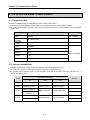
8.6.2 Connection Available Device
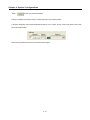
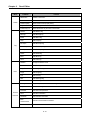
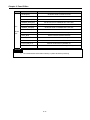
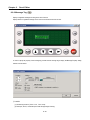
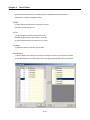
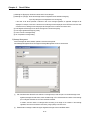
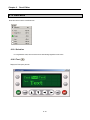
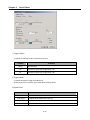
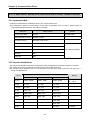
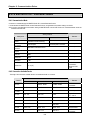
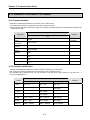
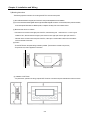
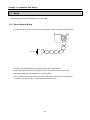
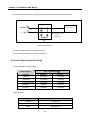
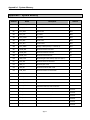
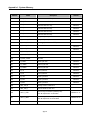
The range of the connection available device if connected with LS MASTER-K500H/1000H is as follows
Max. range of the connection available device is diverse based on the connected type of PLC.
Max. available range is displayed in here. For more information on the Max. device range of each PLC, refer to the user’s
manual of the applicable PLC.
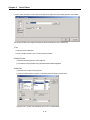
Connection Available Area
Device
Bit
D Area
-
Word
Long
D0000 –D4999
D0000 –D4998
Remarks
Bits Read
unavailable
T Area
T0 –T255
T0 –T255
T0 –T254
-
C Area
C0 –C255
C0 –C255
C0 –C254
-
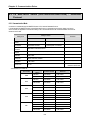
P Area
P000 –P63F
P00 –P63
P00 –P62
M Area
M0000 –M191F
M000 –M191
M000 –M190
-
L Area
L000 –L63F
L00 –L63
L00 –L62
-
K Area
K000 –K31F
K00 –K31
K00 –K30
-
F Area
F000 –F63F
F000 –F063
F000 –F062
Read dedicated
S00 –S99
S00 –S98
Bits Read
unavailable
S Area
-
8-12
Ex.) P0F :
P0’s bit 15