1
Chapter 6.
Panel Editor
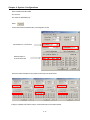
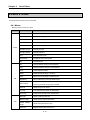
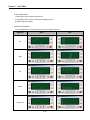
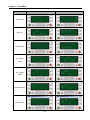
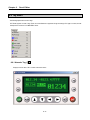
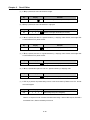
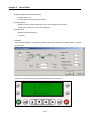
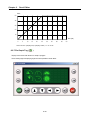
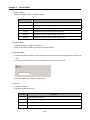
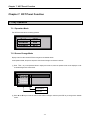
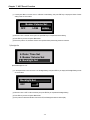
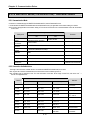
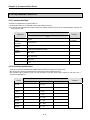
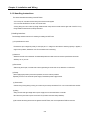
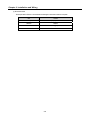
(2) If W key is pressed, the cursor will ascend to 10 digits.
Key
W
Display
1
2
3
Remarks
4
5
Number of the digits ascended (Cursor blinks)
(3) If X key is pressed, the cursor will descend to 1 digit again.
Key
X
Display
1
2
3
Remarks
4
5
Number of the digits descended (Cursor blinks)
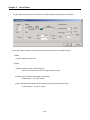
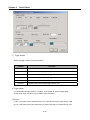
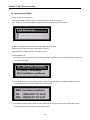
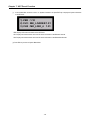
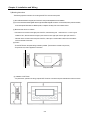
(4) If S key is pressed, the value on 1 digit will increase by 1, displaying 12346. However, the changed value
is not transferred to PLC yet this moment.
Key
S
Display
1
2
3
Remarks
4
6
Setting value increased by 1 (Cursor blinks)
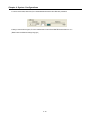
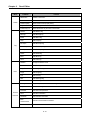
(5) If T key is pressed, the value on 1 digit will decrease by 1, displaying 12345. However, the changed value
is not transferred to PLC yet this moment.
Key
T
Display
1
2
3
Remarks
4
5
Setting value decreased by 1 (Cursor blinks)
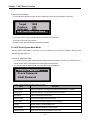
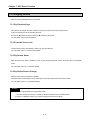
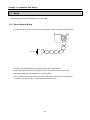
(6) If S key is pressed twice again, the value on 1 digit will increase by 2, displaying 12347.
Key
S
Display
1
2
3
Remarks
4
7
Setting value increased by 2 (Cursor blinks)
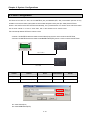
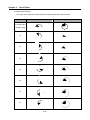
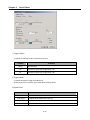
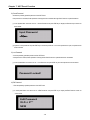
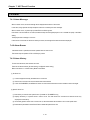
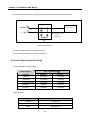
(7) If ENT key is pressed, the present setting value of 12347 will be written by D0000 on the PLC. And the
cursor will disappear.
Key
ENT
-
Display
1
2
3
Remarks
4
7
Write setting value(Cursor disappears)
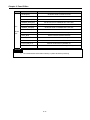
If there is no response from the connection instrument while writing or there is NAK response, Re-Write is
not available. That is, Write is executable just one time.
6-48