1
ZEPHYR v0.35 (BETA) Manual
5 / 16
Assumptions: Data
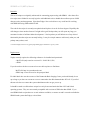
There is a certain file layout that the scripts expect to be working with. Zephyr assumes that your MR
data directory is initially set up as follows:
Example Scan Session
Main MR Data Folder
001 – Scout
Subject 1 Folder
MR Exam Folder
001
002
003
023
004
024
005
…
002 – 2DT1 Coplanar
043
044
004 – Task 2, Folder 1
024 – Task 2, Folder 2
044 – Task 2, Folder 3
Subject 2 Folder
MR Exam Folder
001
002
003
023
004
024
005
…
003 – Task 1, Folder 1
023 – Task 1, Folder 2
043 – Task 1, Folder 3
005 – 3DT1 High-Res scan
043
044
Subject 3 Folder
MR Exam Folder
001
002
003
023
004
024
005
…
043
044
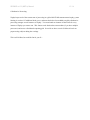
This diagram is not to say that you can only have five scans, or only three subjects. It is merely to
illustrate the hierarchy of files that the scripts expect when they initially run. The main MR folder,
subject folders, and MR exam directory can be named anything you like. The Dartmouth scanner usually
likes to name the MR exam folder with the exam number, which is perfectly fine. The scripts expect this
to vary by subject.
Important to note is that there should be no folders or files other than the subject data folders in the main
MR directory. Things will get messy fast if there are…