1
ba7047be.vp - 040216
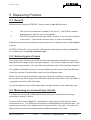
Accept by pressing the
ENTER/ZERO-
button (for about 2 seconds) until a colon : is lit up
on the left side of the display e.g. : - 3 "Rope No 3" has been opened.
. That is the indication of that the stored
You can cancel the selection and go back to previous rope by pressing ON/OFF.
The selected rope will remain in use even if the unit is turned off.
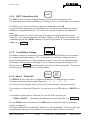
6:1:7 Automatic Turn OFF
–
UNIT
ON
OFF
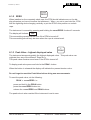
Selection of turn off time. To save the battery the instrument will be automatically
turned off if no button is activated within a programmable time. The time can be set to
max 60 minutes and is done when you start up the RTM :
UNIT + ON/OFF
The display will first indicate SAo
and thereafter AoXX . XX is a number
between 1 and 60 (minutes).
Use the PEAK button to increase or the UNIT button to decrease until the preferred
number of minutes is displayed.
Accept by pressing the ENTER/ZERO- button (for about 2 seconds) until a colon : is lit up
on the left side of the display : AoXX . That is the indication that the time has been
stored in the permanent memory. The time will remain in use even if the unit is turned
off.
You can cancel the selection and go back to previous time by pressing ON/OFF
ENTER
6:1:8 Serial Number and state of revision
If the
ZERO
ON
OFF
button is held while you start up the RTM is started, the
2001 will be displayed for about 1.5 seconds and thereafter the
serial-number e.g.
state of revision P1.1 for about 2 seconds.
ENTER/ZERO
After that the RTM will go back to normal mode.
6:1:9 Overload
The instrument will indicate for two kinds of overload. In both cases the displayed value
will be flashing. The unit will indicate an overload by flashing the display reading in
about 1 Hz.
If the overload is due to that the "Cal Cap" of that "Rope No" has been exceeded , the
reading is on for 0.6 seconds and off for 0.4 seconds.
If the overload is due to that the "Max.Cap" (the loadcell) of RTM has been exceeded ,
the reading is on for 0.2 seconds and off for 0.8 seconds.
+46 8 540 839 00
10(12)
RTM 20 D - Users Manual
BA 7047be