1
Introduction to Samvad
Opening Samvad
Samvad Shortcut should be automatically created on your desktop at the time of installation. If it
does not, follow the steps below:
1. Click Start on the Windows task bar.
2. Select Programs.
3. Select Samvad.
The Samvad Window
Samvad enables you to create, edit, and run scripts of any length, at multiple speeds, and in a
variety of colors. The Samvad software can be divided into three main segments:
Collection
• Run order:
of stories.
• Control Panel: Used for prompting operations
• Editor: Used to import, write, and edit scripts.
The Samvad Menus and Toolbars
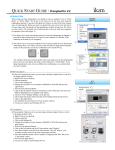
Samvad has tabbed menus and toolbars, which appear at the top of main
window
Tabbed Menu
Toolbar
s
Samvad Main Window