1
2 Getting Started
2.1 Setup & Installation Issues
The AGRIGRID software has been designed to run on PC’s running Microsoft Windows. To begin the
installation process you must run the setup.exe program that has been provided via download or CD.
Depending on the Commission’s preference for a delivery method we could provide a CD containing the
software bundle (including documentation) or make the bundle available for download from the
AGRIGRID website – or both. The bundle will be provided in English so there is the possibility that we
may encounter installation or run-time issues on PCs running with non latin-based character sets.
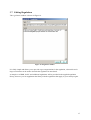
The setup program will prompt you for the installation directory, suggesting the following default1:
C:\Program Files\AGRIGRID\
You have the choice of keeping this default or changing it to some other location.
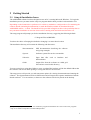
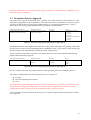
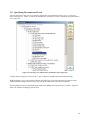
The installation directory will contain the following sub-directories:
\Documentation\
PDF documentation describing the software
and giving examples
\System\
Software system files such as executables
\Libraries\
Input data files such as baselines and
differentiation
\Grids\
Output files from the software are called grid
files and are stored in this directory
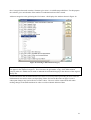
You are not tied in to using these folders to store your data files but these will be the default folders that
the software will start in when opening or saving data files for the first time.
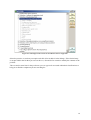
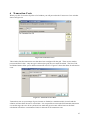
The setup process will provide you with start menu options for viewing documentation and running the
software. The documentation will be in PDF format and will require the separate installation of Adobe
Reader software2. For convenience, a shortcut to the software will also be placed on the desktop.
1
2
This path may vary from PC to PC – the installation program should detect the correct location for programs
http://www.adobe.com/products/acrobat/readstep2.html
5