1
RC Timer and Pattern Calling - DRAFT
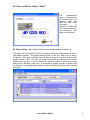
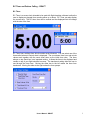
The
advertisement
screen is displayed for
15 seconds when the
software loads and
each time the about
information
is
requested. Please click
on an advertisement for
the advertiser’s web
page to be displayed.
RC Pattern Calling (Beta Version does not allow pattern additions or deletions)
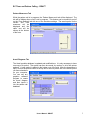
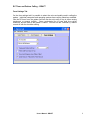
The pattern call form within RC Timer uses speech generation and speakers to call the
flight pattern selected. The pattern steps are shown in the grid. Each row is a step in
the pattern. Each step is ordered, has a duration, the text to be spoken and an Aresti
graphic symbol number. The user can create a new pattern by adding the steps on the
bottom row of the grid. To run the pattern call, select the pattern in the drop down box
and click the ‘Start/Stop’ menu item. It is possible to globally change the speed using
the slider bar. If individual flight maneuver steps are mistimed, they should be adjusted
in the grid.
User’s Manual - DRAFT
2