1
R&R Data Dictionary Editor
User Manual
Introduction
In other writings and documentaton published by Liveware Publishing, we have made the
point that report writing is not an easy thing to learn or implement. This is primarily due to the
complexities involved in manipulating the data, but perhaps equally due to the vagaries and
uncertainties about the ‘characters’ within any report: the tables and fields.
Our extensive experience with reporting has led us to conclude that It takes four critical
components to produce any report, in no particular order:
1) An understanding of the purpose of the report, and how it fits into the users’ roles
2) Familiarity with the actual, stored data and the results of the report
3) Knowledge of the tools to generate the report, i.e., how to manipulate the data
4) Experience with the subject data structures (tables, fields, relationships)
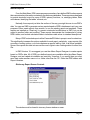
R&R’s new Data Dictionary Editor (DDE) module is designed specifically to address this
last component. Prior R&R versions contained a data dictionary editor and, like R&R V10’s
dictionary, its use was optional. In R&R V10’s dictionary, however, a critical change is that the
dictionary is automatic. As R&R report designer opens each table, DDE will add that table to the
user’s personal dictionary, and catalog all of that table’s data fields without any user intervention.
Once cataloged, key information about each table and field may be viewed or edited with just a
mouse click.
DDE’s new functionality extends prior versions’ dictionary from a single, flat data file into
an integrated relational database application. Throughout the report design phase, any user can
gain a more complete understanding of the table and field entities behind the report. Each user
can also add their own commentary and know-how regarding the tables and fields, and their
interactions, so that others can gain from their experience.
DDE also allows for single-click adds to the dictionary for calculated fields for easy re-use
and sharing among those who develop reports. This feature greatly streamlines this process
over prior R&R versions, wherein one was required to manually enter the calculation formula in
the dictionary editor itself, without internal R&R validation.
The sum of the DDE’s enhancements had led us to proffer that R&R ‘learns’ your data
bases. Perhaps more accurately, R&R’s new DDE is an ever-present guide/teacher to assist a
wider circle of people to learn about and share the data elements that are important to them for
reporting.
Data Dictionary Editor Integration with Report Designer
In prior R&R versions’ data dictionary, the only integration between this module and the
Report Designer module was as a reference for description and calculated fields created in
those versions’ data dictionary editor module. One would reference the applicable data dictionary
file with a specification in the ‘File Settings’ dialog within Report Designer which would, in turn,
update a setting in the R?W.ini file. Upon activation of Report Designer, R&R would find the
referenced data dictionary file, if available, and gather field descriptions and added calculated
fields from that dictionary for presentation in various field lists.That was the extent of the integration
R&R V10.0
Page 3