1
R&R Data Dictionary Editor
User Manual
Data Dictionary Editor Application Program
In addition to all of the automatic Data Dictionary Editor integration features added to
R&R Report Designer, R&R V10 includes an entirely rebuilt module for managing data dictionary
entries and viewing the contents of the built-in dictionary database application. This module
replaces the prior versions’ dictionary editor. This new program comes with a utility that will read
and update prior versions’ dictionary data files into the new, integrated application.
The design for the new DDE Application Program mirror that for Report Librarian, which
was first introduced in R&R V9.0. This was designed to minimize the learning curve for those
already familiar with the menus and controls in Librarian. Apart from these considerations, Report
Librarian (RL) and DDE share an association with the User ID accessing those components of
R&R, and there is clearly an overlap between the tables and fields specified in a report and
cataloged in RL, and the dictionary information about them. To further enhance the integration
between the programs, one can develop custom reports utilizing data from both applications,
since there will be commonality of data elements between the two applications.
Launching the DDE Application
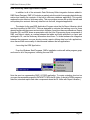
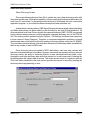
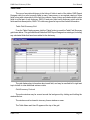
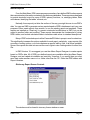
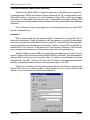
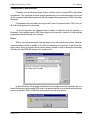
From the Windows Start/Programs, R&R’s installation routine will add a program group
and icons for all of the programs, including the new DDE.
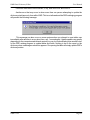
Note the new icon representing R&R V10 DDE application. To create a desktop short-cut on
your own, the executable program is DATADICT.EXE in the RL folder. (In fact all of DDE’s programs,
data files, standard reports and other components share the RL folder with Report Librarian.)
R&R V10.0
Page 11