1
ENDRUN
TECHNOLOGIES
Front-Panel Keypad and
Display
5
Chapter
T
his section describes the Tempus Gntp front-panel user interface which consists
of a graphic vacuum-fluorescent display (VFD) and keypad. The keypad and
display provide a convenient interface that allows the user to quickly check
the operation of the instrument and setup many control parameters. If desired, the
Network Administrator can disable the keypad EDIT key to prevent unauthorized
tampering with the instrument setup. Even when disabled, all status and control
parameters are available for reading only.
Display Description
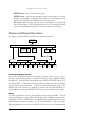
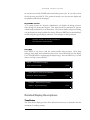
The display consists of a graphic 16 x 280 dot-matrix vacuum-fluorescent array. The
VFD technology offers very readable, bright alphanumeric characters with variable
font sizes. Time information is readable at distances in excess of 15 feet. The keypad
consists of an eight-key switch assembly designed to allow easy parameter selection and
control.
NOTE
After power is applied, the front-panel display will remain blank for
approximately 60 seconds while the Tempus Cntp is initializing.
Keypad Description
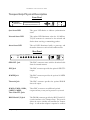
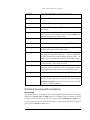
The front-panel keypad consists of eight switch keys identified as follows:
ENTER: Select a menu item or load a parameter when editing.
BACK: Return to previous display or abort an edit process.
EDIT: Edit the parameter currently in view.
HELP: Display context-sensitive help information.
LEFT arrow: Select a new item to the left.
35
Tempus Gntp User’s Manual