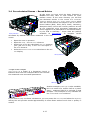
1
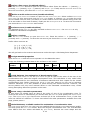
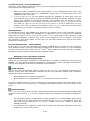
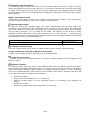
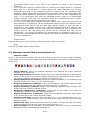
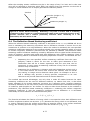
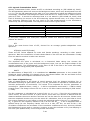
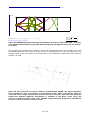
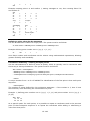
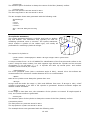
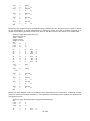
Surf
100
100>100+N-1
Circular floor
Surf
2 Circular ceiling
200>200+N-1
###
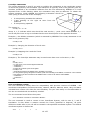
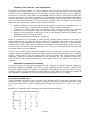
Modelling a box shaped room with columns in two dimensions, using two level
For..End constructs
When modelling geometries having more than one level of symmetry it is advantageous to use
For..End constructs. This example shows how to model columns in two dimensions in a room
using a two level For..End construct.
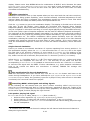
Each column is created using 8 points and 4 surfaces, thus the numbering used by points and
surfaces is incremented by 8 each time a column is created. This is done by incrementing the
predefined variable NumbOffSet by eight for each column in order to make surface and point
numbers unique. The different positions of the points used for each column are obtained,
using MTranslate and MReset.
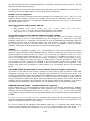
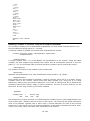
Parametric sample BoxColumnRoom.Par
###
const L 10
const W 4
const H 3
const NumColX 4
const NumColY 3
const ColumnW 0.3
mTranslate l/2 0 0
Box 1 l w h tb walls in the room
:modelling the columns
for ColYCnt 1 NumColY
MReset
MTranslate L/(NumColX+1) w/2-ColYCnt*W/(NumColY+1) 0
for ColXCnt 1 NumColX
NumbOffSet NumbOffSet+8
;comment: hint! setting NumbOffSet to Auto would do the same job
Box 1 ColumnW ColumnW h n columns in the room
MTranslate L/(NumColX+1) 0 0
end
end
###
Using hybrid statements and coordinate manipulation
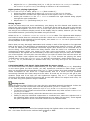
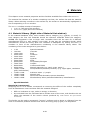
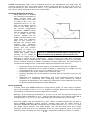
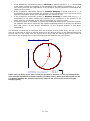
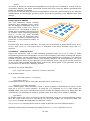
The following example demonstrates an example on how to use the hybrid statements Cylinder2
and Dome2 as well as the coordinate manipulations, which are essential to the use of the hybrid
statements.
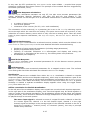
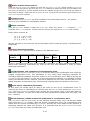
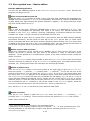
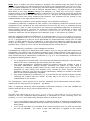
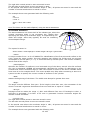
This example is a rather complex one, so the main parts of the file is explained below:
Line 3-7
Line 8-9
Line 11
stored
Line 12-13
Line
Line
Line
Line
Line
Line
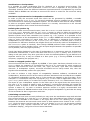
Defining constants.
Inserting the cylindrical wall, which needs a rotation of 90° around the Z-axis.
The foot-points of the cylindrical wall, which is temporarily stored in PlistA are
in Plist0 for later use (definition of the floor).
Inserting the dome shaped ceiling. The Z-rotation has already been set to 90°
when the wall was created.
14-18
Setting the coordinate manipulation for the ceiling and creating the ceiling.
19
Resetting the coordinate manipulation to work in absolute coordinates
20-23
Creating Wall /floor point
24-25
Defining floor, using the ‘cylinder points’ stored in Plist0.
28-29
Defining side walls using symmetric modelling.
30-31
Defining back wall, using the ‘ceiling cylinder points’ which is still stored in
PListB.
12-170