1
Set Command
Examples:
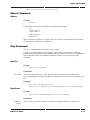
set collision detection on
set collision detection on sensitivity 30
set collision detection off
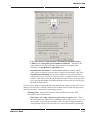
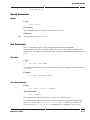
Set Obstacle Avoidance
Usage:
And:
set obstacle avoidance off
set obstacle avoidance on {method <method>}
{tolerance <tolerance>}
{disable distance <distance>}
{disable percentage <percent>}
These control obstacle avoidance and, if turning it on, adjust the various settings.
Parameters:
<method>
<tolerance>
is either 'intensity' or 'color'.
is a number from 10 to 80.
<distance>
is the standoff distance at which it is turned off when approaching an object, in cm.
<percent>
is the fraction of the stop percentage for turning it off when moving toward a color.
The optional parameters can appear in any order.
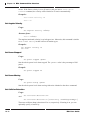
Set Confidence Threshold
Usage:
set confidence threshold <percentage>
Sets the object recognition feature threshold, expressed as a percentage of the number of
features which must be identified for the object to be recognized.
Example:
set confidence threshold 20
Set Color Tolerance
Usage:
set color tolerance <tolerance>
Sets the color recognizer's color tolerance.
Example:
set color tolerance 10
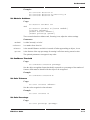
Set Color Percentage
Usage:
set color percentage <percentage>
ER1 User Guide
10-19