1
Keypad control – Jog
-
-
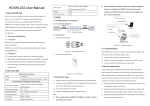
Connect the HEDY HD700 to the mains supply and motor according to the information in the
HEDY HD700 Easy Start Guide.
Apply power to the drive so its display shows 0.00.
Enable the drive by closing a switch between terminals 24V & DI6 (24V and Enable).
Press the MF (multi-function) key. The drive will run up to the jog speed (P01.04) with the
acceleration ramp controlled by the jog acceleration ramp (P02.22). Jog speed is 5.00Hz as
default and jog acceleration is 10.0s.
Release the MF (multi-function) key. The drive will decelerate to 0.00Hz controlled by the
jog deceleration ramp (P02.23) and then disable. Jog deceleration is 10s by default.
MF - Multi-function key Function Select
The functionality of the MF key can be changed to suit the application:
Parameter P05.07 controls the functionality of the MF key:
0 : Jog reference (default)
1 : Forward / Reverse
2 : Coast to Stop
3 : Reserved
To access the advanced parameters, set P00.23 = 1, Press the PRG key once and then press the ESC
key once. The display should show Gr00. Press the UP key so the display shows Gr05. Press the PRG
key so the display shows P05.01. Press the UP key so the display shows P05.07. Press the PRG key
so the display shows a flashing ‘0’. Press the UP key to select the required function of the MF key.
Once the selection has been made, press the PRG key to implement and save. Press the ESC key
twice for the display to show 0.00.
Keypad control – forward & reverse operation
- Connect the HEDY HD700 to the mains supply and motor according to the information in the
HEDY HD700 Easy Start Guide.
- Apply power to the drive so its display shows 0.00.
- Set parameter P05.07 = 1 as explained above.
- Enable the drive by closing a switch between terminals 24V & DI6 (24V and Enable).
- Press the green RUN key. The green RUN LED will illuminate and the drives output will
become active.
- Press the UP key. The frequency/speed on the display will increase until the UP key is
released. The rate of acceleration is controlled by the setting of P00.08.
- Press the MF key to reverse the direction of motor rotation. The display will show a
negative frequency.
- Press the DOWN key. The frequency/speed on the display will decrease until the DOWN key
is released or the frequency/speed reaches 0.0Hz. The rate of deceleration is controlled by
the setting of P00.09.
- If the drive is running and the STOP key is pressed, the drive will decelerate to a stop under
the deceleration ramp controlled by P00.09.
Page 2