1
KLIMAX DS SYSTEM
INSTALLATION AND SETUP
3 TwonkyMedia (continued...)
7.
8.
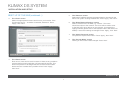
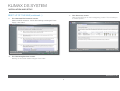
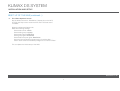
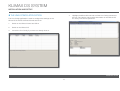
Select ‘Sharing’ from the left of the page.
Select ‘First Steps’ from the menu on the left-hand side.
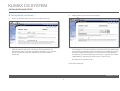
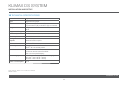
The settings for ‘Content Locations’ is important as they will be used
when setting up Ripstation Micro DS (the recommended disc ripping
software). Use the browse button to set the path to correspond to
the directory into which Ripstation will rip CDs - typically, this will be
‘/Media/Music’. Set the drop-down menu to ‘Music-only’.
Here the name of the server can be set. This is necessary for
installations where more than one NAS is available. If you change
any of the settings, press the ‘Restart server’ button before
continuing.
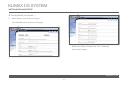
Set ‘Rescan in minutes’ to ‘60’.
Press ‘Save Changes’.
www.l i nn.c o .uk
9