1
WPL 304 User Manual
4. LED and Button Functions
This printer has one button and one three-color LED indicator. By indicating the LED
with different color and pressing the button, printer can feed labels, pause the printing
job, select and calibrate the media sensor, print printer self-test report, reset printer to
defaults (initialization). Please refer to the button operation below for different functions.
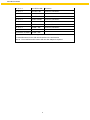
4.1 LED indicator
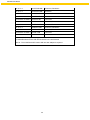
LED Color
Green/ Solid
Description
This illuminates that the power is on and the device is ready to
use.
Green/ Flash
This illuminates that the system is downloading data from PC to
memory or the printer is paused.
Amber
Red / Solid
Red / Flash
This illuminates that the system is clearing data from printer.
This illuminates printer head open, cutter error.
This illuminates a printing error, such as head open, paper
empty, paper jam, ribbon empty, or memory error etc.
4.2 Regular button function
1. Fe e d la bel s
When the printer is ready, press the button to feed one label to the beginning of next
label.
2. Pause the printing job
When the printer is printing, press the button to pause a print job. When the printer is
paused the LED will blink green. Press the button again to continue the printing job.
4.3 Power on utilities
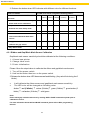
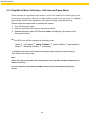
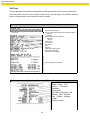
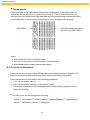
There are six power-on utilities to set up and test printer hardware. These utilities are
activated by pressing FEED button then turning on the printer power simultaneously
and release the button at different color of LED.
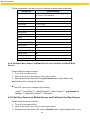
Please follow the steps below for different power-on utilities.
1. Turn off the power switch.
2. Hold on the button then turn on the power switch.
26