1
™
Screen Size
3”
3
Users Manual
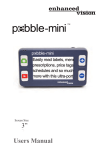
Congratulations on your purchase of the Pebble-mini from
Enhanced Vision. The Pebble-mini is a handheld electronic
video magnifier that you can take anywhere. Weighing less
than 4 ounces, and includes both near-viewing and table
reading modes. Small enough to fit in your pocket or purse,
the Pebble-mini is the ideal companion to provide
magnification on the go.
With the Pebble-mini, you can easily read bank statements,
coupons, prescriptions, restaurant menus, or sign checks anywhere you need portable magnification. The Pebble-mini
provides hours of low vision enhancement.
Featuring a built-in 3” LCD screen, the Pebble-mini allows you
to magnify images up to 10 times. A built in Freeze-Frame
feature allows you to capture any still image and adjust
magnification and change color. Seven different viewing
modes allow you to choose alternate color combinations based
on your personal preference.
The Pebble-mini includes a convenient carrying case, a built-in
neck strap, a rechargeable battery and an integrated battery
charger. Pebble-mini comes with a 2 year warranty.
Product enhancements and revisions are an integral
part of what we do here at Enhanced Vision. Please visit http://www.enhancedvision.com/low-vision-product-line.html and
select your Enhanced Vision Product. You will find the most
up-to-date version of the User Manual at the bottom of the page.
2
FCC COMPLIANCE NOTICE
This device complies with Part 15 of the FCC Rules. Operation is
subject to the following two conditions: (1) This device may not cause
harmful interference, and (2) this device must accept any interference
received, including interference that may cause undesired operation.
This equipment has been tested and found to comply with the limits
for a Class B digital device, pursuant to Part 15 of the FCC Rules.
These limits are designed to provide reasonable protection against
harmful interference in a residential installation. This equipment
generates, uses, and can radiate radio frequency energy and, if not
installed and used in accordance with the instructions, may cause
harmful interference to radio communications. However, there is no
guarantee that interference will not occur in a particular installation. If
this equipment does cause harmful interference to radio or television
reception, which can be determined by turning the equipment off and
on, the user is encouraged to try to correct the interference by one or
more of the following measures:
– Reorient or relocate the receiving antenna.
– Increase the separation between the equipment and receiver.
– Connect the equipment into an outlet on a circuit different from that to which the receiver is connected.
– Consult the dealer or an experienced radio/TV technician for help.
Unauthorized changes or modification to this system can void the
user’s authority to operate this equipment.
If your Low Vision device has an option to connect to a TV, it must be
used with shielded interface cables in order to meet FCC emissions
limits for Class B digital devices. It is the responsibility of the user to
use the shielded interface cables supplied with the equipment.
FCC Compliance Notice
3
Chapter 1: Safety Precautions
General Guidelines
6
Transportation
7
Care & Maintenance
7
Chapter 2: Package Contents & Controls
Package Contents & Controls
8-9
Accessories
8-9
Chapter 3: Using the Pebble-mini
Power Options
10
Connecting the Power Supply
11
Turning the Power On/Off
12
Selecting Viewing Modes
13
Capturing an Image
14
Recalling an Image
15
Deleting a Saved Image
15
Deleting All Saved Images
15
Chapter 4: Using the Menu
4
Menu 1 (Brightness, Light, and Key Click)
16
Menu 2 (Color Modes)
17
Menu 3 (Audio, Restore, and Firmware Version)
18
Menu 4 & 5 (Changing Languages)
19
Table of Contents
Chapter 5: Connecting to your PC
Uploading Images to Your PC
20
Updating your Pebble-mini firmware
21
Chapter 6: Charging & Using Battery
Using Rechargeable Battery
22
Replacing the Battery
23
Battery Charging Procedure
23
Battery Charger Status Indicators
24
Chapter 7: Tips for using the Pebble-mini
Attaching the Neck Strap
25
Using the Carrying Case
25
Chapter 8: Troubleshooting
Troubleshooting
26-27
Chapter 9: Specifications
Specifications
28-29
Chapter 10: Warranty Information
Warranty Information
30-31
Chapter 11: Other Enhanced Vision Products
Other Enhanced Vision Products
Table of Contents
32-34
5
SAFETY PRECAUTIONS
For your safety and to obtain the most benefit and life from the
Pebble-mini, please read these important safety precautions
carefully.
General guidelines for use:
▶▶ Follow all warnings, cautions, and instructions marked on
the product.
▶▶ Use only Enhanced Vision provided battery.
Using other battery will void your warranty and could cause
damage to the product and/or pose personal safety risk.
▶▶ Use care when using the Pebble-mini outdoors – it
should NOT be exposed to extreme or rapid changes
in temperature or humidity.
▶▶ Do not place the Pebble-mini near a radiator, heater, or
areas exposed to long hours of direct sunlight.
▶▶ Prevent the risk of electrical shock by NOT
attempting to disassemble the unit. Please refer all service
to an authorized repair facility.
▶▶ Do not use the Pebble-mini in, near, or around water.
The Pebble-mini is not designed to offer protection against
contact with liquids of any kind.
▶▶ Do not use the Pebble-mini during an electrical storm,
lightning, or other severe weather.
▶▶ Do not use the Pebble-mini near open flames, flammable
materials, or liquids.
6
Chapter 1 Safety Precautions
Transportation:
▶▶ Pebble-mini comes with a convenient carrying case for
transport. To prevent the unit from being accidentally
dropped and damaged, always return the Pebble-mini to
the carrying case while not in use.
▶▶ While in use, securely attach and use the neck strap
to avoid damage to the Pebble-mini caused by an
accidental drop.
Care & Maintenance:
▶▶ If needed, clean the surface of the Pebble-mini with a
soft damp cloth or an electro static dusting wipe. DO NOT
use liquid cleaners on the plastic surface. No additional
methods of sterilization or cleaning are recommended
or required.
Susceptibility to Interference:
There may be temporary performance degradation of the
Pebble-mini when subjected to a strong magnetic and/or
radio-frequency field, electrostatic discharge or transient
electrical noise. An electrostatic discharge (caused by static
electricity) may cause image distortion. If this happens, switch
the unit off and try moving the unit to a different location.
Chapter 1 Safety Precautions
7
PACKAGE CONTENTS & CONTROLS
Please refer to the illustrations on the next page to identify the
package contents and controls of your Pebble-mini. In addition to
this users guide, you will find the following items inside the box:
1. Pebble-mini (Battery included inside)
2. Neck Strap
3. Carrying Case
4. USB Cable
5. AC Adapter Power Supply With Interchangeable AC plugs
6. Lens Cloth
7. Pebble-mini Stand
Please note the locations of the following controls on your
Pebble-mini:
A. Scroll Wheel
B. Capture Button
C. Recall
D. LCD Screen
E. Zoom (+) and Zoom (-) Buttons
F. USB Input
G. Speaker
H. Power Button (On/Off)
I. LED Lighting
J. Battery Compartment (Integrated Charger)
8
Chapter 2 Package Contents & Controls
3
2
1
4
5
D
B
7
6
A
E
C
F
G
H
I
J
Chapter 2 Package Contents & Controls
9
USING THE PEBBLE-MINI
Power Options
Your Pebble-mini can be powered using:
▶▶ The included AC adapter power supply and USB cable.
▶▶ Rechargeable Battery (installed)
When using the Pebble-mini for the first time, please
power the unit using the included AC adapter power
supply and USB cable. This will ensure
that the rechargeable battery can fully
charge, even while the Pebble-mini is
in operation.
Power Supply
Figure 1
1) Included within your Pebble-mini
magnifier box is a main power supply
and multiple inserts for the outlets of
various countries.
2) To install choose the correct insert
for your country.
10
Chapter 3 Using the Pebble-mini
Figure 2
Figure 3
Connecting the AC adaptor power supply
Use the following procedure to connect the Pebble-mini
to the AC adaptor power supply:
1) Connect the included USB cable to
the USB input port on the side of the
Pebble-mini
(See Figure 1).
2) Connect the remaining end of the
USB cable to the AC adapter power
supply. (See Figure 2).
Figure 1
3) Find an available AC wall outlet and
plug in your AC adaptor power supply
(See Figure 3).
Figure 2
Figure 3
Chapter 3 Using the Pebble-mini
11
Turning the Power On/Off
Use the following procedure to turn the power of
your Pebble-mini On or Off:
1) Find the Green, recessed POWER
button located on the left side edge of
your Pebble-mini.
(See Figure 1)
2) Press the Green POWER button.
Figure 1
Note: A short, confirmation tone (“ding”) will be heard when the
unit is powered On.
Adjusting the Image Size
Use the following procedure to adjust the displayed
magnification (size) of the LCD image.
1) Locate the ZOOM (+) / ZOOM
(-) Button located on the right
face of your Pebble-mini
(See Figure 2).
2) Press the ZOOM (+) to
increase the magnification size
or Zoom (-) to decrease the
magnification size on the LCD.
12
Chapter 3 Using the Pebble-mini
Figure 2
Selecting the Viewing Mode:
Use the following procedure to select the
viewing mode of the image on the LCD
1) Scroll with the Scroll wheel (See
Figure 1) to continuously cycle through the
Figure 1
4 pre-set viewing modes and the 3 favorite
viewing modes. To change your favorite
viewing mode to any of the 28 available modes, follow
instructions on page 16. Pressing the Scroll wheel down
will revert to the normal mode bypassing the need to cycle
all 7 modes.
Chapter 3 Using the Pebble-mini
13
Capturing an Image (Snapshot function)
If desired, you can take and store a snapshot or freeze an
image on the display. You can also adjust the size and color
modes after freezing an image.
1) Press the CAPTURE button to
capture the image (See Figure 1).
Pebble-mini will sound a short
confirmation tone (“shutter”) when the
image is captured.
Figure 1
2) Press the CAPTURE button again
to save your image and exit to clear
the image and resume normal
operation (you will hear a “click” to
confirm the save.)
Note: Lights are off after first CAPTURE is being processed, they will
turn back on after second CAPTURE is being processed.
14
Chapter 3 Using the Pebble-mini
Recalling an Image:
Your Pebble-mini has the option to recall an image that was previously saved.
1) Find the RECALL button located on your Pebble-mini
(See Figure 1).
2) Press the RECALL button and the last image that was
taken will appear on the display. You can
use the scroll wheel to scroll through all saved images.
Deleting a Saved Image:
1) To delete a saved image, press the
RECALL button and scroll with the scroll
wheel to the image you would like to
delete.
2) Press the RECALL button again and a
menu will show on the display. (See
figure 2)
3) To delete the image, press the ZOOM
(-) button and to cancel the deletion
press the ZOOM (+) button. To return to
live mode, press CAPTURE.
Figure 1
Figure 2
Deleting ALL Saved Images:
Figure 3
1) To delete all saved images, press the RECALL
button once to show image on screen.
2) Press and hold the RECALL and ZOOM (-) button
simoutaneously until a menu shows up with DELETE
ALL. (See figure 3)
3) To delete ALL the images, press the ZOOM (-)
button and to cancel the deletion press the ZOOM (+)
button.
4) After deleting all images you will receive a NO
FILES message on screen and you will return to live
mode after 2 seconds.
Chapter 3 Using the Pebble-mini
15
USING THE MENU
Using the Menu 1: Brightness, Lights, and Key Click
To enter Menu 1, press the
and
simultaneously.
Adjusting the Brightness:
1) Enter Menu 1 (See Figure 1)
2) With the BRIGHTNESS selected, press
the ZOOM (+) or ZOOM (-) to increase or
decrease the brightness.
3) There will be a 10 second timeout or press
CAPTURE to exit the menu and save your
Brightness setting.
Figure 1
Turning On/Off the LIGHT
1) Enter Menu 1 (See Figure 1)
2) Scroll with the scroll wheel to the LIGHT ON. With the LIGHT
ON selected, press the ZOOM (+) to turn lights ON or ZOOM (-) to
turn lights OFF.
3) There will be a 10 second timeout or press CAPTURE to exit
the menu and save your Light settings.
Turning On/Off Key Click
1) Enter Menu 1
2) Scroll with the scroll wheel to the KEY CLICK ON. With the
KEY CLICK ON selected, press the ZOOM (+) to turn key click ON
or ZOOM (-) to turn key click off.
3) There will be a 10 second timeout or press CAPTURE to exit
the menu and save your Key Click settings.
16
Chapter 4 Using the Menu
Entering Menu 2: Color Modes
To enter Menu 2, press the
and
simultaneously,
then scroll one click with the scroll wheel below
“KEY CLICK ON”.
Changing the Favorite Color Mode:
Your Pebble-mini has 4 set viewing modes (full-color,
black & white, enhanced positive, and enhanced
negative) and 3 that can be changed to any of the 28
available color modes. Use the following procedure to
select between the 28 available color modes:
1) Enter Menu 2
(See Figure 1)
2) With a COLOR SELECT
highlighted, press the ZOOM
(+) to enter the color select
mode.
3) Use the scroll wheel to change
the favorite color modes
to any of the 28 that are available.
Figure 1
4) When finished, press the ZOOM (+) to assign color
mode.
5) There will be a 10 second timeout or press
CAPTURE to exit the menu.
Chapter 4 Using the Menu
17
Entering Menu 3: Audio, Restore, and Firmware Revision
To enter Menu 3, press the
and
simultaneously, then
scroll with the scroll wheel one click below “COLOR SELECT”.
Turning On/Off the Audio:
By default, your Pebble-mini has audible sounds
while performing certain functions.
To disable this feature, use the following
instructions:
1) Enter Menu 3
(See Figure 1)
2) With AUDIO ON highlighted,
press the ZOOM (+) or ZOOM (-) to activate or
deactivate this function.
Figure 1
3) There will be a 10 second timeout or
press CAPTURE to exit the menu.
Restore to Factory Settings:
1) Enter Menu 3 (See Figure 1)
2) With RESTORE SETTINGS highlighted, press and hold the
ZOOM (+) button for 3 seconds.
3) A message “RESTORED” will appear on screen and the
Pebble-mini will return to live mode after 2 seconds.
Firmware Version:
1) Enter Menu 3 (See Figure 1 )
2) With FIRMWARE VERSION highlighted, press the
ZOOM (+) button.
3) A message will appear on screen with the revision No.
4) With NO highlighted, press the ZOOM (+) to exit and power
off unit. Pressing and holding the CAPTURE will exit the Menu
without powering unit off.
18
Chapter 4 Using the Menu
Entering Menu 4 and 5: Change Languages
To enter Menu 4, press the
and
simultaneously
then scroll one click with the scroll wheel below
“FIRMWARE VERSION” to enter Menu 4 & 5.
Changing the Language:
There are 6 supported languages for the Pebble-mini:
English, French, Italian, Spanish, German, and
Japanese. Use the following directions to change the
language of your Pebble-mini.
1) Enter Menu 4 (See Figure 1) or Menu 5 (See Figure 2)
2) Use the scroll wheel to highlight the preferred
language and press the ZOOM (+) to activate the
requested language.
3) There will be a 10 second timeout or press CAPTURE
to exit the menu.
Figure 1
Figure 2
Chapter 4 Using the Menu
19
CONNECTING TO YOUR PC
Uploading Images to your PC:
Your Pebble-mini has the option to upload all your
stored images to your PC. This allows you to store
or share these images. Follow the instructions to
upload your saved images to the PC.
1) Plug in the USB cable into
the Pebble-mini (See Figure 1)
and the opposite end into the PC
(See Figure 2)
2) Your Pebble-mini will register
as a normal USB-storage device
with the drive name: Pebble.
Figure 1
3) Double click the Pebble drive.
4) With the Pebble drive open
double click on the DCIM folder.
5) Drag the images to your
desktop or the desired location.
20
Figure 2
Chapter 5 Connecting to your PC
Updating your Firmware:
There will be periodic updates that will be available to you through
our website. To see which version you are currently running, follow
the instructions on page 18 (Firmware Version). Compare your current
firmware with the most current firmware. (Browse SUPPORT under
www.enhancedvision.com to find the most current firmware.) If you
are running an older version and would like to update it, follow
instructions below:
1) Download the most current version to your PC.
2) Plug in the Pebble-mini to your PC using the USB cable.
3) Your Pebble-mini will register as a normal storage device.
4) Copy the new firmware file downloaded from the internet to the
Pebble drive by dragging file “Pebble_M.elf” to the Pebble drive.
(See Figure 1)
5) Unplug your Pebble-mini unit from the PC and restart the Unit.
(Power off and then power on).
6) After unit is powered back on, navigate to Menu 3 and select
FIRMWARE VERSION by pressing ZOOM (+).
7) When UPDATE FIRMWARE YES/NO appears,
(See Figure 2) navigate with the scroll wheel to YES and press (+)
to activate. When update is complete the unit shall display a message
and wait for the user to power off the unit. Unit will power on with new
firmware. Old firmware will load if user selects NO.
Figure 1
Figure 2
Chapter 5 Connecting to your PC
21
CHARGING & USING BATTERY
Using Rechargeable Battery
The user does not have to remove the battery for
normal operation. If the battery is discharged
completely, the user must connect the AC adapter
and charge the unit for a minimum of 15 minutes in
order to use the unit while charging. Once the unit
has charged the battery enough, then the user can
continue to use the unit while the unit is being
charged. In the event that the battery has to be
replaced, the user must power off the unit, push
the battery latch, the battery door will pop open.
The user can remove the old battery and insert the
new battery and close battery door.
Important Points When Using Battery Power
▶▶ The Pebble-mini should ONLY be used with the
included battery. Using other battery will void the
unit warranty. Contact Enhanced Vision for
replacements.
▶▶ Using new battery, your Pebble-mini should last
about 2 – 3 hours when fully charged depending
on the brightness level. The total usage time will
gradually reduce with subsequent charges.
22
Chapter 6 Charging & Using Battery
Replacing the Battery
1) Locate the battery compartment door
.(See Figure 1)
2) Using your fingernail, press the latch
to the bottom as shown in Figure 1 by
the arrow. (See Figure 1)
3) Open battery door and remove the
battery. (See Figure 2)
Figure 1
4) Insert new battery. Press and hold
latch to the bottom and swing the door
back until snapped close. Release the
latch to lock battery door shut.
Figure 2
Battery Charging Procedure
To charge the battery inside your Pebble-mini, simply connect the
included AC adaptor as described on the bottom of page 10.
• If the battery is completely drained, the Pebble-mini will not turn
on while charging. Connect the unit to the AC adaptor for 15
minutes prior to turning on the Pebble-mini.
• If the Pebble-mini battery is not completely drained, then you can
continue to use your Pebble-mini while it is being charged using the
AC adaptor and USB cable.
• When the Pebble-mini is plugged into a computer using the USB
cable, the unit will charge but cannot be used at this time. Your
Pebble-mini takes approximately 3.5 hours to fully charge. A fully
charged battery should give you approximately 2 to 3 hours battery
life depending on the brightness level.
CAUTION: Risk of explosion if battery is replaced by an incorrect type. Dispose of
used batteries according to the instructions.
Chapter 6 Charging & Using Battery
23
Battery Charger Status Indicators
Your Pebble-mini has two small indicator LEDs
located on the upper left side of the unit. The
LEDs indicate the current power state and
charge status of the battery (See Figure 1).
#1 #2
Figure 1
Refer to the table below for more information
regarding the meaning of each indicator LEDs:
Blue
(#1)
On
Amber
(#2)
Description
Flashing Power is plugged and battery is charging
On
On
Power is plugged and battery is fully charged
Off
On
Battery operated: Battery condition is good
Off
Flashing Battery operated: Battery condition is low
Flashing
Off
Unit is in Standby mode
Off
Off
Unit is shut off
Note: When your Pebble-mini battery is getting low approximately 15
minutes before shutdown the battery icon will flash three times in 5
minute intervals. A “ding” will sound when the battery icon is displayed
the first time. If battery is nearly empty and ready to shut down, the
battery icon shall stay flashing on screen until shut down, you will
hear an audible “ding” before shut down.
*The user assumes full responsibility for charging battery in any other charger different than
Pebble-mini’s built-in charger.
24
Chapter 6 Charging & Using Battery
Attaching the Neck Strap
For added security, your Pebble-mini includes a neck strap
that can be attached. When using the Pebble-mini in a
portable setting, the included neck strap will help to prevent
your Pebble-mini from accidently being dropped on the floor
or other hard surface. Use the following procedure to attach
the neck strap (lanyard):
1) Locate the neck strap included inside the
package of your Pebble-mini (See Figure 1)
2) Feed the small loop through the hole
located on the corner of the Pebble-mini. (See
Figure 2)
Figure 1
3) Thread the neck strap through the loop to
securely attach the lanyard to the Pebble-mini.
Using the Carrying Case
For added protection, your Pebble-mini
includes a convenient carrying case (See
Figure 3). This helps to protect your Pebblemini from accidental damage when “on-thego”. When not using the Pebble-mini, return it
to the case for added protection.
Figure 2
Figure 3
Chapter 7 Tips for Using the Pebble-mini
25
TROUBLESHOOTING
• No power to the unit
•Can you power the unit using the included AC adaptor? (page 10)
•Is the power supply properly connected to a surge protector or AC
outlet (mains)? (page 10)
•Is the correct battery being used and does it need to be charged or
replaced? (pages 22-23)
•Is the battery inserted correctly? (page 23)
• Video image on LCD is blurry or not clear
•Clean the LCD display and/or camera lens using the included
cleaning cloth.
•Adjust the distance of the Pebble-mini from your reading material
as needed to improve image quality (focus)
•Try selecting different viewing modes to improve image quality
(page 13)
• Video image on LCD display is too bright/dark
•The Pebble-mini is designed to be used in moderate lighting
conditions, preferably indoors. Bright lighting (or direct sunlight)
may produce shadows and/or reduce visibility. Try moving to a more
shaded area to improve image quality.
•Adjust the distance of the Pebble-mini from your reading material.
•Try selecting different viewing modes to improve image quality
(page 13)
•Try adjusting the LCD brightness manually using the procedure
described (page 16).
26
Chapter 8 Troubleshooting
• Battery will not charge
•Can you power the unit using the included AC adaptor?
(page 10)
•Is the power supply properly connected to a surge protector
or AC outlet (mains)? (page 11)
•Is the correct battery being used and does it need to be
charged or replaced? (pages 22-23)
•Is the battery inserted correctly? (page 23)
•Are you using the correct rechargeable battery? (page 22)
• Unit turns off automatically
•To conserve power, your Pebble-mini will automatically turn
off the LCD after 3 minutes of non-use in standby mode. This
is not a malfunction.
• Pebble-mini begins to make a “ding” sound and a battery
icon is displayed on screen
Approximately 15 minutes before shutdown the battery icon
shall be flashing three times in 5 minute intervals. A “ding”
will sound when the battery icon is displayed the first time.
If battery is nearly empty and ready to shut down, the battery
icon shall stay flashing on screen until shut down, you will
hear an audible “ding” before the unit shuts down.
• Unit becomes warm to the touch
Your Pebble-mini integrates a camera, LCD and battery
charging unit inside a very small package, but is designed to
be completely safe and does not pose a risk of fire or damage.
It is normal for the Pebble-mini to become warm (sometimes,
very warm) after extended periods of use.
Chapter 8 Troubleshooting
27
SPECIFICATIONS
Features:
•
•
•
•
•
•
Lightweight and Portable Design
28 selectable viewing modes
Levels of magnification for Pebble-mini 3.1x, 4.1x, 5.9x, 10x)
Image “Freeze” mode
Integrated battery charger
Power Save mode (after 3 minutes of non-use)
• Auto shut-off (after 3 minutes in Power Save mode)
Display:
• Type: 3” diagonal TFT display
• Resolution: 320x240 (RGB)
Internal Micro SD card
Physical Dimensions:
~ 113.4 mm L x 64 mm W x 19 mm H
Weight: 4 oz.
Magnification Ranges:
3.1x, 4.1x, 5.9x, 10x
Warranty: 2 years
28
Chapter 9 Specifications
Environment:
• Operating Temperature : 0˚C ~ 40˚C
• Storage Temperature : -20˚C ~ + 60˚C
Battery:
• 3.7V/1050mAh rechargeable NP-60 battery, (installed in Pebble-mini)
Note: The only battery recommended for use with Pebble-mini is the one
provided. If your battery is no longer functioning you may order a new one
from Enhanced Vision. Call 1-800-440-9476 for assistance. Battery part
number is ACC-0098-00.
Estimated Charge Time (using rechargeable battery):
~3.5 hours
Estimated Usage Time (using rechargeable battery):
(using new, fully charged 1050mAh Li-Ion battery)**
~ 2.0 Hours
~ 300 charge life cycles, ≥80%
Wall adapter:
• UL/CE rated
• Input: 100-240VAC 50/60Hz
• Output: 5VDC, 1.0A max load
*To prevent condensation, do not use the unit for 1 hour after transporting the unit from
extreme cold to room temperature.
**All times listed are approximate. Actual charging and usage times may vary depending
on the life cycle remaining on the battery, type and current rating of battery used, LCD
brightness setting, and other variable factors.
In the interest of continuous product improvement, specifications and/or minimum
system requirements are subject to change without prior notice.
Chapter 9 Specifications
29
WARRANTY INFORMATION
Enhanced Vision Pebble-mini Warranty Policy
Enhanced Vision products are designed to give you the highest quality image,
convenient features, ease of use and reliable service. The Pebble-mini has been
inspected and tested prior to shipping. Enhanced Vision warrants the Pebble-mini
against defects in material and workmanship under normal use for two years from
the date of original purchase. Enhanced Vision, at its option, will at no charge
either repair the product or replace it during the warranty period. There are no
other expressed or implied warranties accompanying this product.
This warranty policy does not cover:
a) Defects or damage from misuse, use in other than normal and customary
manner, accident or neglect;
b) Defects or damage from improper operation, maintenance, installation,
adjustment, alterations or modification;
c) Defects or damage from spills of food or liquid;
d) All plastic surfaces and all other externally exposed parts that are scratched or
damaged due to normal use;
e) Damage due to operation of the Pebble-mini with equipment not supplied or
designed by Enhanced Vision.
f) Up to 3 dark or bright pixels that may appear on the Pebble-mini LCD. All
products manufactured by Enhanced Vision meet industry standard TFT LCD technology requirements.
30
Chapter 10 Warranty Information
• You must provide proof of purchase, bearing the date of
purchase, in order to receive warranty service.
• Anyone using this product does so knowingly assuming
certain risks, due to the need to utilize vision enhancement
devices.
Service Process
In the event that technical support or repair service is needed,
please contact your local Enhanced Vision representative or the
Enhanced Vision warranty service center. If warranty service
is required, please contact Enhanced Vision at (800) 440-9476
Monday through Friday, between 8 a.m. and 5 p.m. Pacific
Standard Time (PST) to request a return authorization number.
Warranty repairs will not be accepted without a valid
return authorization number.
You may wish to keep the original product packaging in
case warranty service is required. The manufacturer cannot
provide packaging for warranty repairs.
NOTE: Please completely fill out and send in the enclosed
warranty registration card.
Chapter 10 Warranty Information
31
OTHER ENHANCED VISION PRODUCTS
Pebble
The Pebble is a handheld electronic video magnifier
that you can take anywhere. Weighing less than 8
ounces, Pebble features a uniquely-designed folding
handle and includes both near-viewing and table
reading modes. Small enough to fit in your pocket or
purse, the Pebble is the ideal companion to provide
magnification, on the go. Featuring a built-in 3.5” or
4.3" LCD screen, the Pebble's Freeze-Frame feature allows you to capture any still image and adjust
magnification. Up to 28 different viewing modes
allow you to choose alternate color combinations
based on your personal preference. Pebble can be
powered using standard rechargeable batteries
(included)
Magnification: 2X – 10X
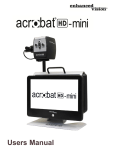
Acrobat LCD
With your choice of a built-in 19”,22” or 24”
LCD, the Acrobat is a 3-in-1 video magnifier ideal
for near, distance and self viewing. By rotating
the camera, you can read, write, groom, and
magnify images at any distance. The Acrobat
LCD offers a complete system for those at work,
school or home.
Magnification: 2X – 65X (19” LCD)
Magnification: 2X – 75X (22” LCD)
Magnification: 2X – 82X (24” LCD)
32
Chapter 11 Other Enhanced Vision Products
Transformer
Transformer is the most flexible and portable solution
for reading, writing and viewing magnified images
at any distance. Compatible with popular magnification
software and the latest Windows operating systems.
Transformer’s unique design is perfect for work,
home or school. Weighs less than 3 pounds. Battery
operated up to 4 hours. 28 custom color
select modes.
Magnification 2.4X to 30X
(based on 17”screen)
Amigo
Amigo is a truly portable desktop magnifier. Optimal
viewing is achieved with a tilting 6.5 inch viewing
screen. Amigo provides 3.5 to 14x digital
magnification and the lightest weight in its class.
Amigo is battery operated and can be taken
anywhere.
Merlin LCD
Merlin LCD is a video magnifier that offers the
greatest value and picture quality available. Boasting
an ergonometric design, this flexible desktop
magnifier allows you to pivot and adjust the screen
for your most comfortable viewing position.
Magnification 2.4X to 85X
Merlin HD has the same advanced features as Merlin
LCD only with an HD camera for even brighter and
crisper images.
Chapter 11 Other Enhanced Vision Products
33
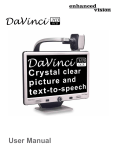
DaVinci
DaVinci is a high performance desktop video
magnifier (CCTV), featuring HD, text-to-speech
(OCR) and a 3-in-1 camera. With HD you will
experience high definition color and contrast giving
you a beautiful, crystal clear picture and vibrant
colors. Experience the joy of reading with our new
text-to-speech feature. DaVinci will read any printed
text aloud with the push of a button.
Magnification: 24” LCD: 2x (minimum) to 80x (maximum)
Merlin HD
Merlin HD’s camera technology produces an even
truer, more natural image. Easily read books and
magazines, read and write letters, manage your
financial records, view color photos, do crossword
puzzles, and even pursue a favorite hobby.
Magnification: 22” LCD: 3.2x (minimum)
to 64.7x (maximum) 24” LCD: 3.4x (minimum)
to 57.8x (maximum)
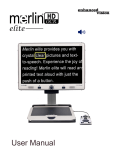
Merlin elite
See and hear the difference!
Merlin elite is a high performance desktop video
magnifier (CCTV), featuring HD and text-to-speech
(OCR). High definition color and contrast provides
a beautiful, crystal clear picture and vibrant colors.
Merlin elite’s unique design allows for a wide field
of view, displaying more text on the screen.
Magnification: 2.4x - 70x
34
Chapter 11 Other Enhanced Vision Products
NOTES
_________________________________________________________________
_________________________________________________________________
_________________________________________________________________
_________________________________________________________________
_________________________________________________________________
_________________________________________________________________
_________________________________________________________________
_________________________________________________________________
_________________________________________________________________
_________________________________________________________________
_________________________________________________________________
_________________________________________________________________
_________________________________________________________________
_________________________________________________________________
_________________________________________________________________
Notes
35
The Pebble-mini video magnifier is designed to enlarge and
enhance images to improve the lives of people who have low
vision. The extent to which Pebble-mini can improve the
ability to see images and text depends on a person’s individual
condition and level of visual impairment. The Pebble-mini is not
designed to restore vision, correct eye conditions or halt
degenerative vision loss. An eye care professional can best
determine the suitability of the Pebble-mini for a patient’s
specific condition. For more information, please visit
www.enhancedvision.com.
www.enhancedvision.com
(800) 440-9476 (US Office, toll free)
(714) 465-3400 (US Office)
+44 (0) 9442317 (UK Office)
Tel. +49 (0) 6078 911772 (DE Office)
Fax +49 (0) 6078 911774 (DE Office)
Part # MAN-0740-00 Rev. X3
January, 2013
Copyright © 2011 by Enhanced Vision. All rights reserved.
Product specifications subject to change without prior notice.