1
Quick Start
Quick Start
Setting up router
1 Power WiFiRanger or first follow any installation guides
2 Wait a couple minutes
3 Wirelessly connect a device to WiFiRanger’s SSID using WPA2 Key
4 Open device’s web browser and go to Control Panel !
!
!
!
mywifiranger.com or direct address shown below
Control Panel QR
WiFiRanger ID 772250
Transposing numbers makes 10.122.50.1:8080 for example
5 Get WiFiRanger online using a connection method below
!
!
!
!
!
!
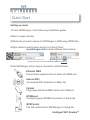
Ethernet WAN
Plug internet-supplied ethernet cable into WAN port
!
!
!
!
!
!
Internal WiFi
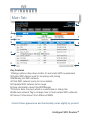
Join desired WiFi broadcast on Main tab
!
!
!
!
!
!
Cellular
Plug supported Aircard/MiFi device into USB port
!
!
!
!
!
!
WFRBoost
Configure legacy WFRBoost product on Setup tab
!
!
!
!
!
!
WFRControl
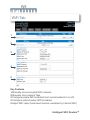
Pair with desired client WiFiRanger on Setup tab
Intelligent WiFi Routers™