1
User manual Version 9.4, November 2009
Shell
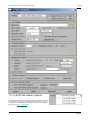
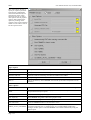
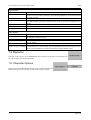
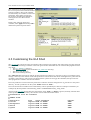
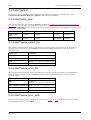
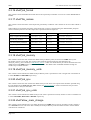
1.6.1.2 Input Options
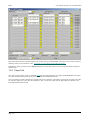
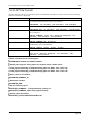
Each LS-DYNA job can have the following options set.
Input File
Name of the LS-DYNA input file for post processing. This option can not be modified if this panel
was accessed from the LS-DYNA Submit menu.
Template
Defines a REPORTER template file for the job
Output Dir
By default the output directory for any files generated by REPORTER will be set to the directory
containing the input file.
Root Output
By default the root of the input filename we will used as the default filename for any output files
Filename
generated by REPORTER, i.e rootname.pdf, rootname.html ...
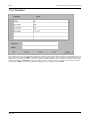
Variables
This option can be used to setup variables for use within REPORTER , see section 1.6.2
In addition to setting up options for individual LS-DYNA jobs this panel can also be used to generate a summary
report. The options for the summary report are the same as for individual LS-DYNA jobs except that the Input file is
optional.
If this panel was accessed from the REPORTER Options
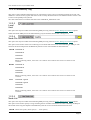
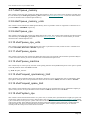
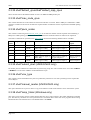
1.6.1.3 Output Formats
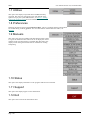
HTML
Write an HTML file after REPORTER has finished generating a report
PDF
Write a PDF file after REPORTER has finished generating a report
Postscript
Write a Postscript file after REPORTER has finished generating a report
VBA
Causes Reporter to write a PDF file once it has finished generating a report
Powerpoint
Causes Reporter to write a Powerpoint file once it has finished generating a report
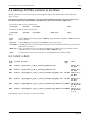
1.6.1.4 Run Reporter
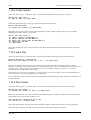
This option starts REPORTER once for each LS-DYNA job that has been defined and passes any input options that
have been defined for that job to REPORTER. If a set of summary report options have been defined then an additional
instance of REPORTER will be started to generate the summary report.
This option is not available if this panel was accessed from the LS-DYNA Submit menu as REPORTER will be started
automatically after each LS-DYNA job has finished.
1.6.1.5 Clear Panel
This option can be used to quickly clear any options that have been set. This option is not available if this panel was
accessed from the LS-DYNA Submit menu.
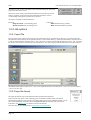
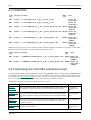
1.6.1.6 Save List As
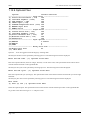
This option can be used to save the currently defined set of REPORTER options to a new LIST file. By default this
option will overwrite the Input List.
Page 1.17