1
General Description
s
A
Introduction
Sy
st
em
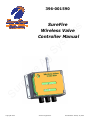
The Wireless Valve Controller allows control of up to 4
valves from one remote with one controller and up to 8
valves with one remote with two controller boxes. The
relay output for each channel allows control of one
12VDC device up to 7Amps per channel with a maximum
current for the controller of 10 amps for all of the channels combined.
Basic Setup
Ag
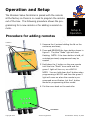
1. Find a location close to the valves you want to control
to mount the Wireless Valve Controller. An angle
mounting plate is available for this purpose
re
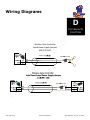
2. Use the supplied harnessing to provide power to the
Wireless Valve Controller.
Fi
3. Use the supplied harnessing to hook up the valves to
the Wireless Valve Controller.
Su
re
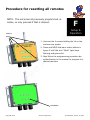
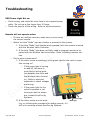
4. The valve controller and remote come preprogrammed, so unless asked to do so by SureFire Ag
Technicians, no programming is required.
5. With power to the unit, the red light labeled “Power”
should be on. At this point pressing the appropriate
button on the remote will turn on the corresponding
lamp and valve. Pressing the button again will turn
that lamp and output off again.
Copyright 2012
SureFire Ag Systems
Last Modified: January 16, 2012