1
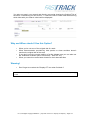
You gain one step in your search and directly get results showing the Original Title of
the work. If necessary you can click on ‘+’ next to the title to check other titles among
which titles with your search criteria will be displayed:
Why and When should I Use this Option?
•
•
•
•
When you’re not sure of the original title of a work
When documentation provided by third parties or sister societies doesn’t
mention the original title of the work
If you don’t know the correct spelling of a title (please note you can also use
the ‘Wildcards enabled’ option in this case – See T&T # 2)
When you search on works better known for their alternate titles
Warning!
•
Don’t forget to unselect the ‘Display OT’ box when finished
For more information please consult the User Manual (available from the MWI, Help tab), §
2.1.3.5
© FT, the Digital Copyright Network – {Tips and Tricks # 11: Display OT Option} – Page 2/2